
Activity Tracking
The Activity Tracking feature provides a comprehensive view of all actions performed on an item, displayed in chronological order. This ensures you can easily monitor and review the sequence of activities, enhancing transparency and accountability.
Actions Tracked
- Any update on your content, including text or assets
- User assignments and unassignments
- Changes to due or publish dates
- Comments added, deleted, or resolved
- Tags added or removed
- Items created, deleted, or duplicated
- Multiple versions of an item created
- Moving an item to a different folder
- Workflow being set
- Item being published
- Approval resolutions
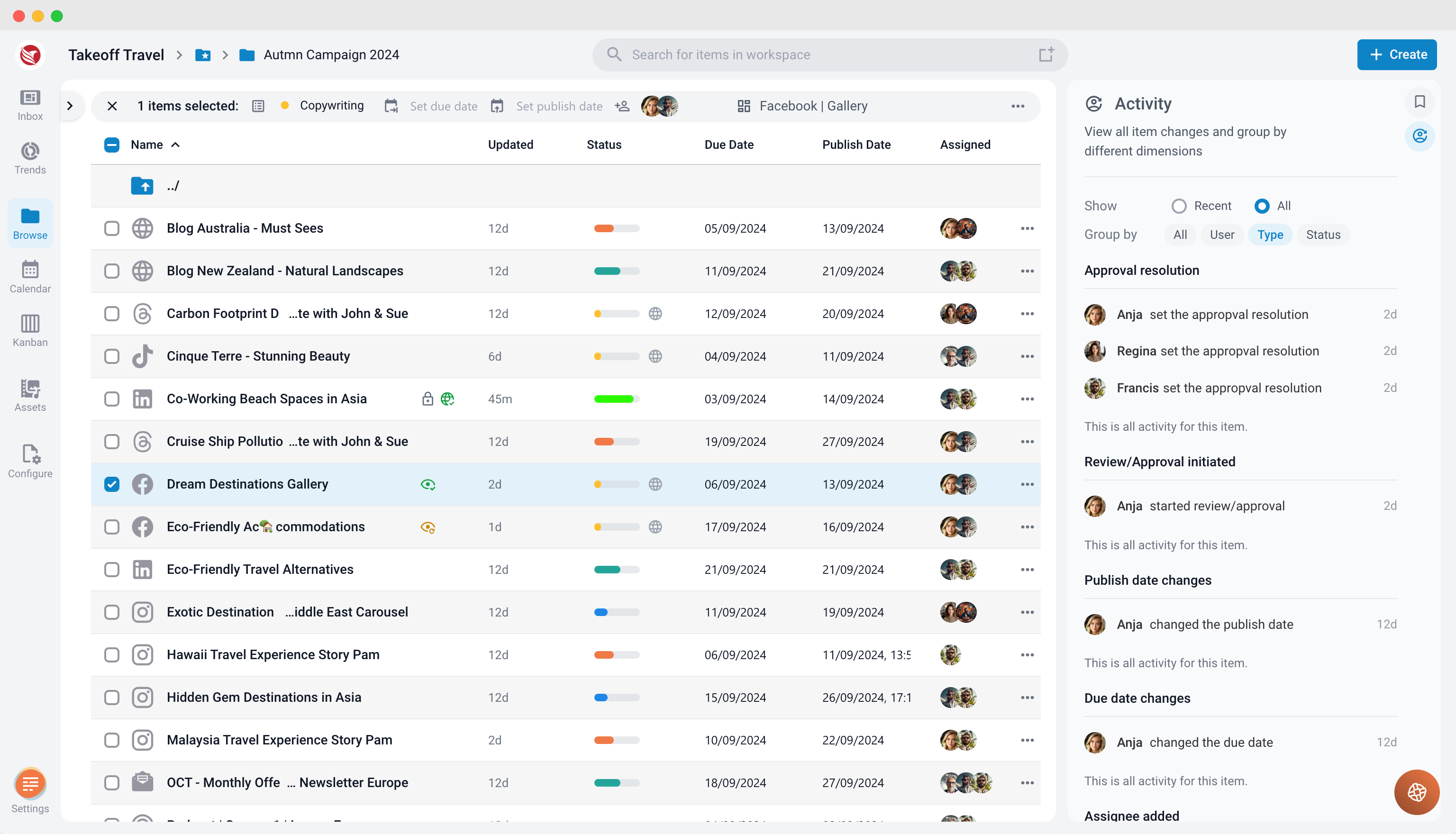
Grouping Activities
The Activity Tracking feature allows you to group activities for better analysis and understanding. You can organize the actions based on:
- User: See all changes made by a specific user.
- Type of Changes: View similar types of actions together (e.g., all comments added or all due date changes).
- Workflow Status: Group changes made while an item was in a specific workflow status.
This functionality enhances the clarity of the activity log, making it easier to track and manage changes efficiently.
Show
This setting allows users to customize how they view the activity history of a content item. You can choose to display either the most recent activities or the entire activity log.
Options in the "Show" Setting:
- Show Recent:
- This option displays only the most recent actions taken on the item.
- It’s useful when you want a quick overview of recent updates without viewing the full history.
- Show All Activities:
- This option displays every tracked activity associated with the item.
- It’s ideal when you need to review the entire history of changes, comments, and updates for an in-depth look.
You can toggle between these two options to control the level of detail shown in the activity log.
Note
Activity Tracking is for information only. Restoring previous versions of an item can be done with Track Changes.