
Viewing Past Approval Decisions
Learn how to review past approvals, see participant decisions, and track the final outcomes for any content item in ContentPaul.
ContentPaul makes it easy to track the history of past approvals for any content item, allowing you to see who participated and what decisions were made. Here’s a step-by-step guide on how to view past approvals:
Steps to View Past Approvals:
- Navigate to the Item
- Go to the content item for which you want to review the approval history.
- Find the Latest Approval Status
- In the header section of the item, you'll see a colored button indicating the latest approval status (e.g., approved, rejected, etc.).
- Open the Approval Modal
- Click on this button to open a new modal window. This is where you can initiate a new approval flow, but it also contains details of past approvals.
- View the List of Past Approvals
- Below the input fields for starting a new approval, you will find a list of all past approvals related to this item.
- Each past approval shows the date, participants, and the overall decision made.
- Inspect Approval Details
- To view more details about a specific approval, click on the decision. This will expand a box that shows:
- When the approval flow started and concluded
- Who participated in the approval
- Individual decisions made by each participant
- The final decision of that approval flow
- To view more details about a specific approval, click on the decision. This will expand a box that shows:
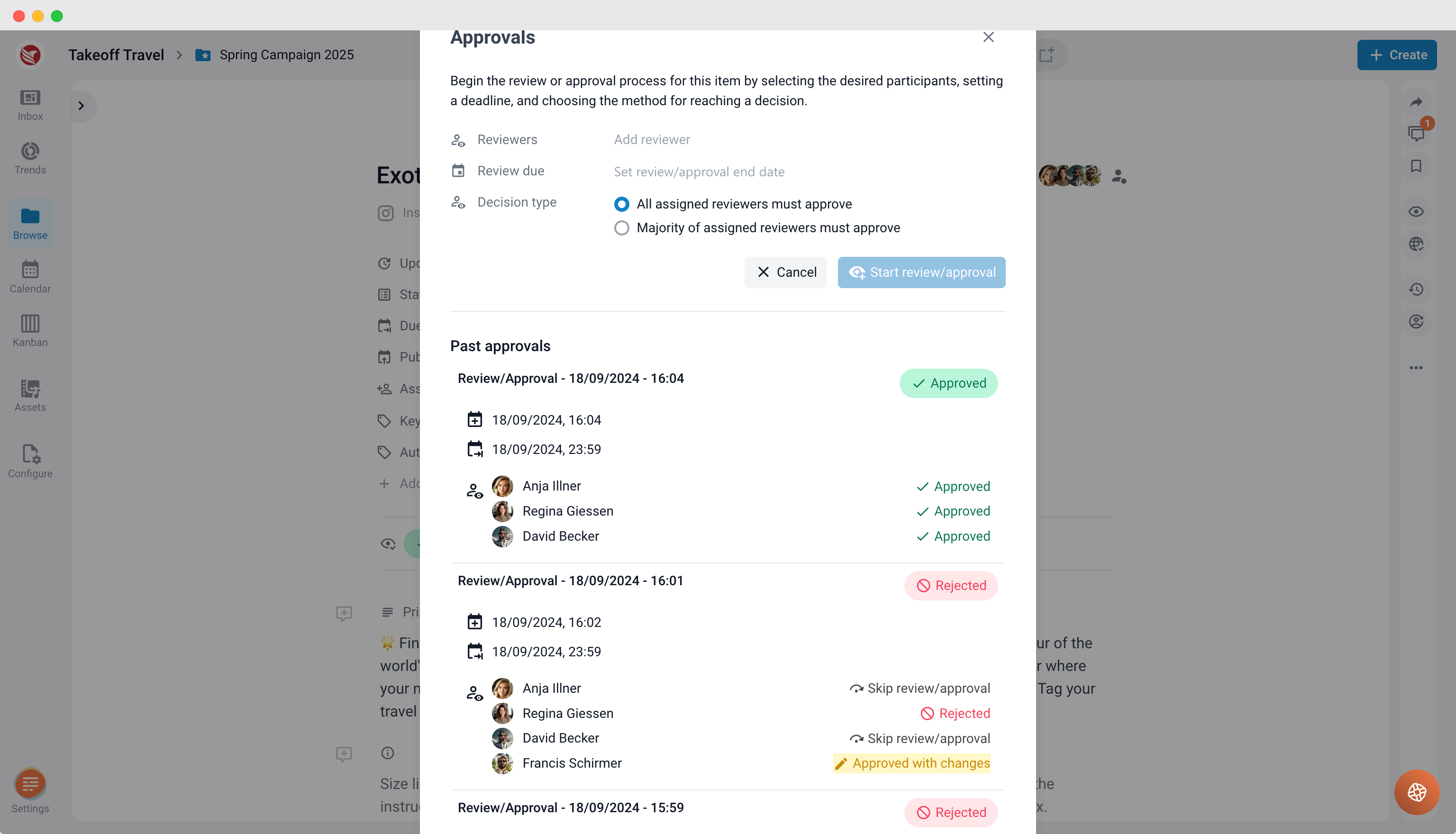
By following these steps, you can easily review all past approvals, helping you understand the decision-making process and ensuring transparency in the approval flow.