
Publish Dates Calendar
Plan and manage your content’s publish dates with ease. Adjust schedules, filter views, and stay on track with your communication goals.
The Publishing Dates Calendar in ContentPaul is your ultimate tool for planning and managing your communication strategy. This feature allows you to meticulously schedule every activity, ensuring that your content reaches its audience precisely when needed.
Setting Publishing Dates
- Plan Your Content: Use the calendar to set goals for when each content item needs to go live, whether it's on social media platforms, websites, or as newsletters. By assigning publish dates to your content items, you define the deadlines that drive your content creation workflow.
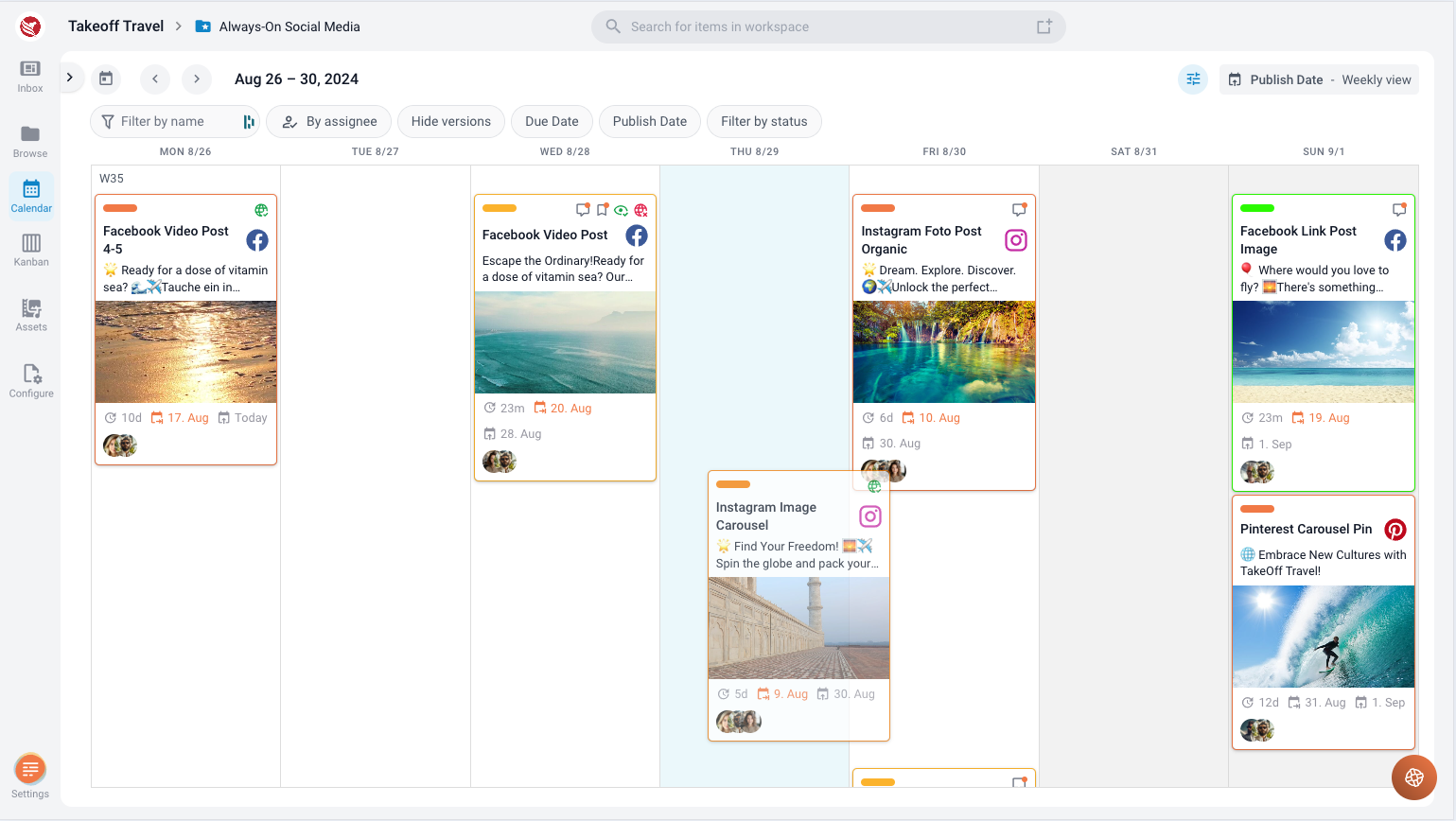
- Easily Adjust Dates: If plans change, you can quickly update the publish dates by dragging and dropping the content item from one date to another directly within the calendar. This flexibility ensures that your schedule remains dynamic and adaptable to any shifts in your strategy.
Calendar Views
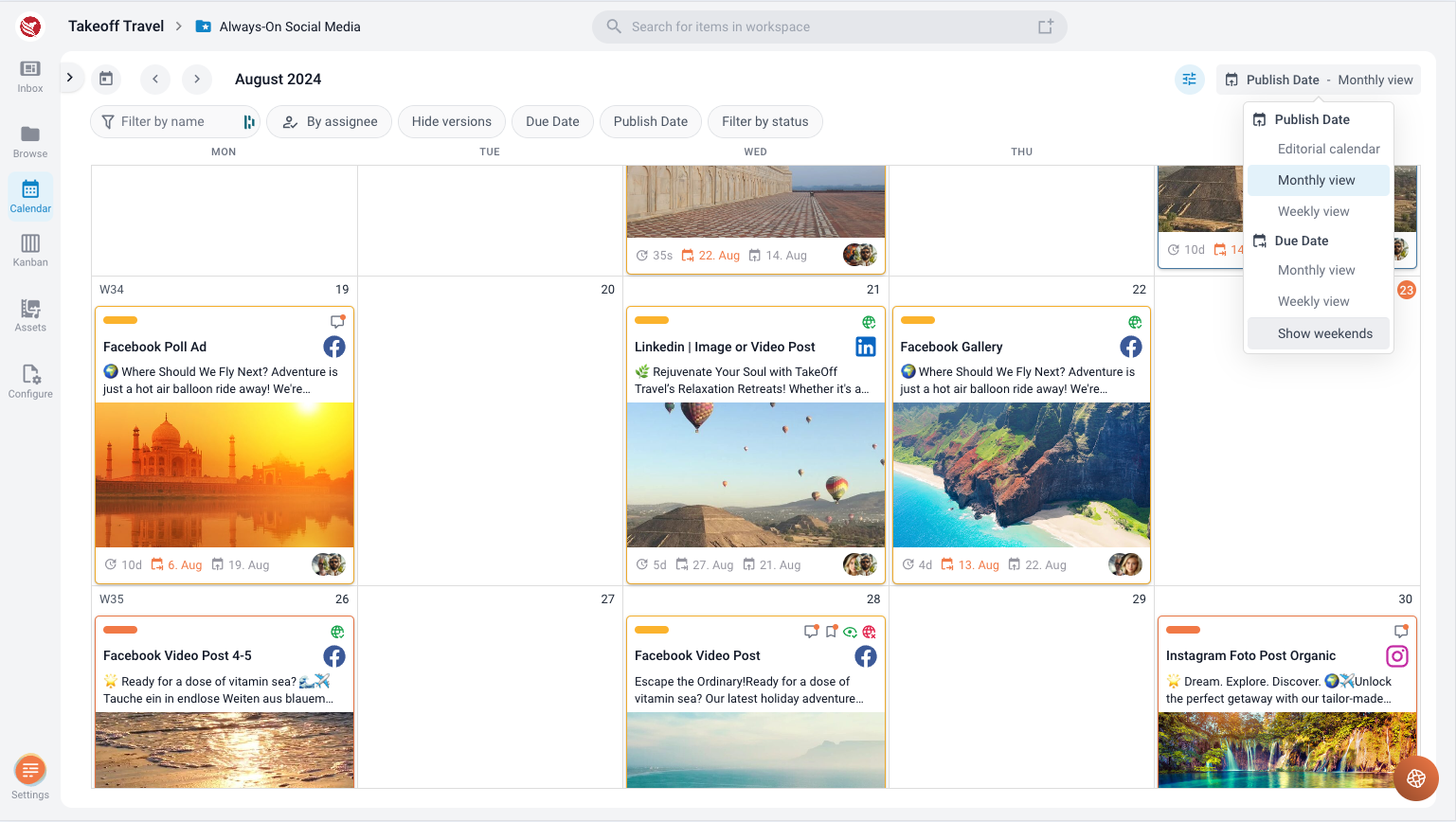
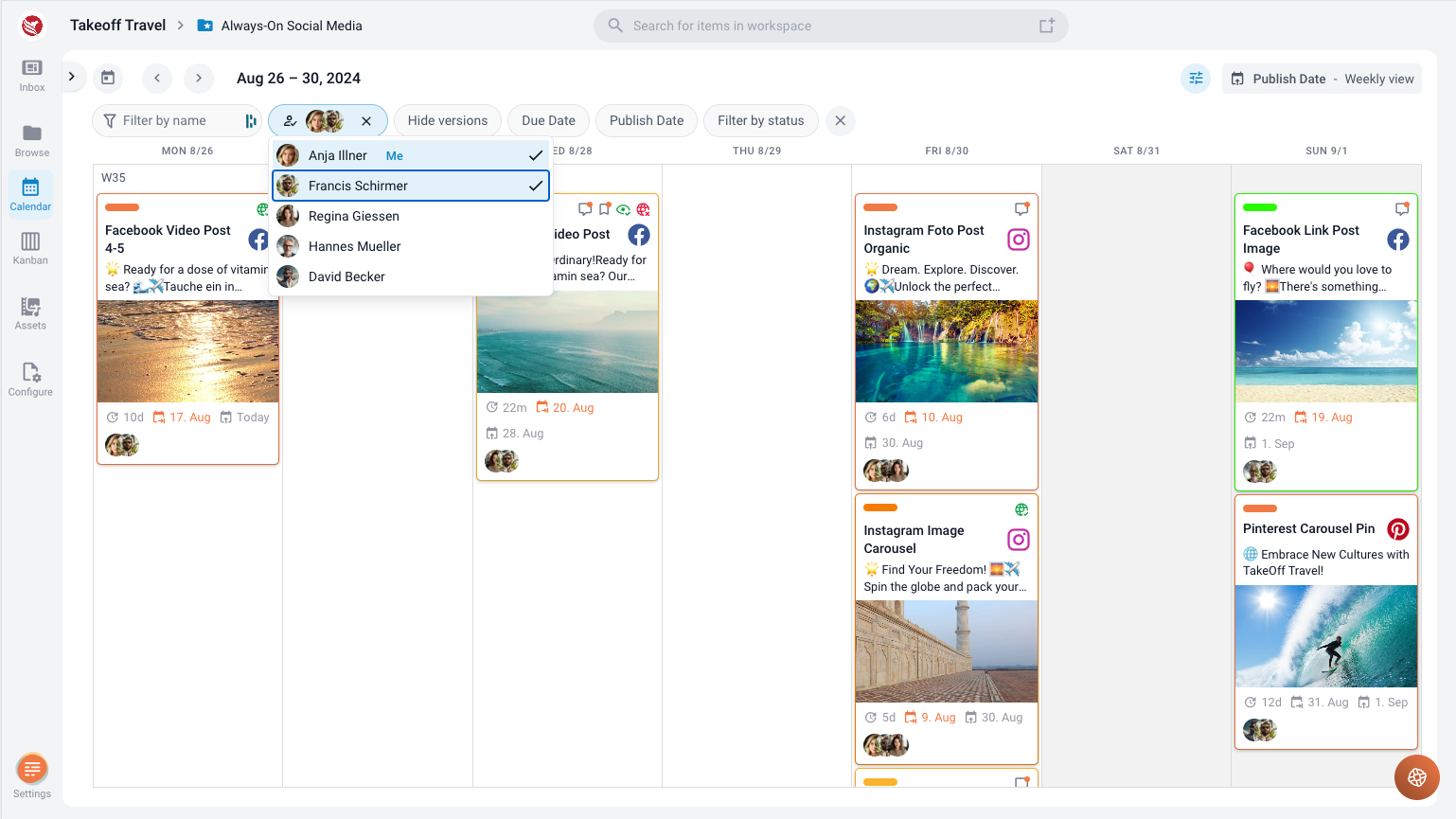
- Monthly and Weekly Views: The calendar offers both monthly and weekly views, allowing you to zoom in or out on your publishing schedule. Content items are arranged within each day according to the specific time set for publishing, giving you a clear visual representation of your timeline.
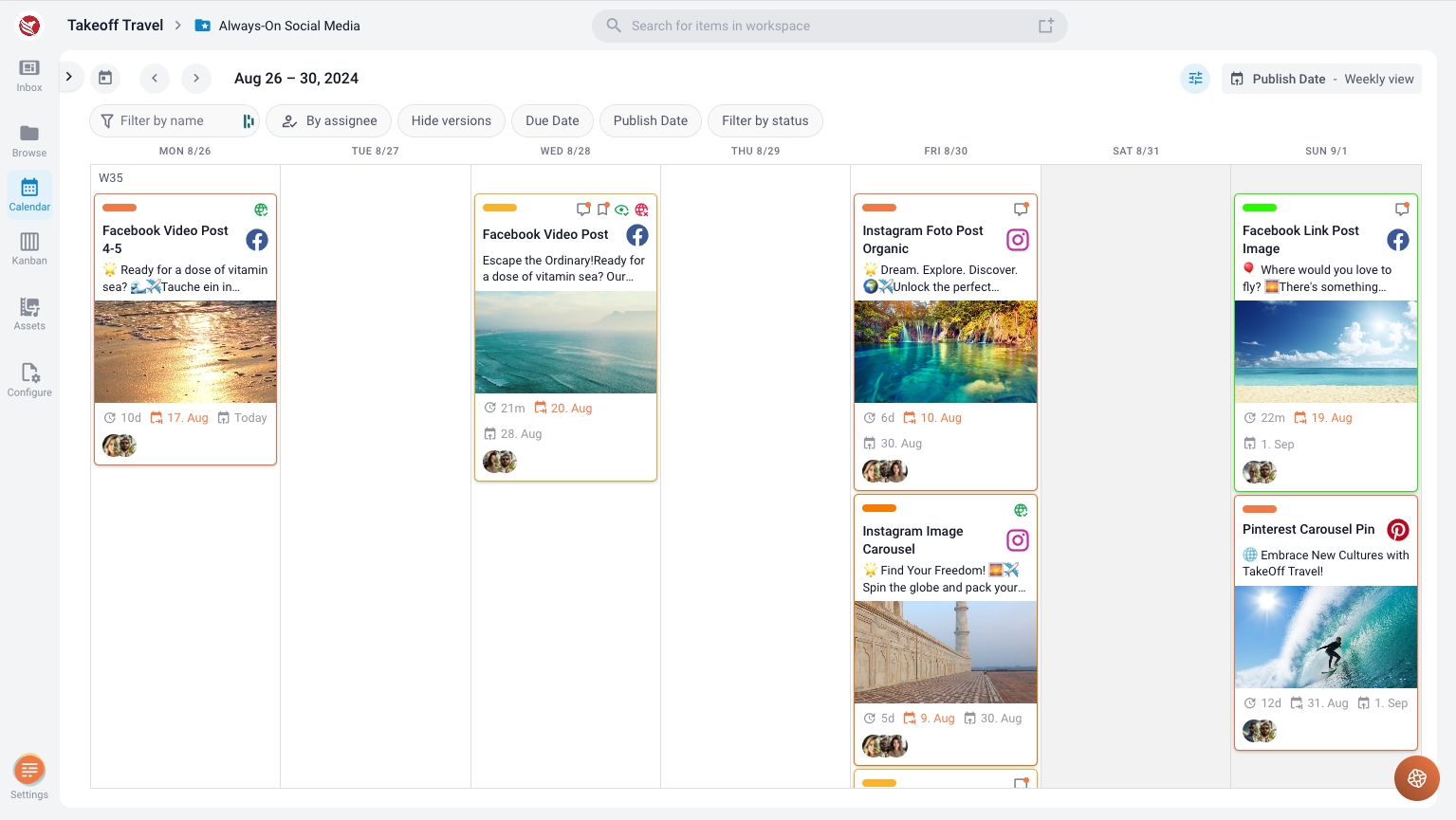
- Toggle Weekends: You can customize your view by turning the visibility of weekends on or off, depending on whether you need to focus on weekday activities or include the full week in your planning.
Refining Your Calendar View
To manage and refine the information displayed in your calendar, ContentPaul provides two powerful tools:
- Explorer Tool: On the left side of the calendar, you can access the Explorer. By selecting specific folders within the Explorer, you can limit the calendar display to only those content items contained in the selected folder. This feature helps you focus on particular projects or sections of your content strategy.
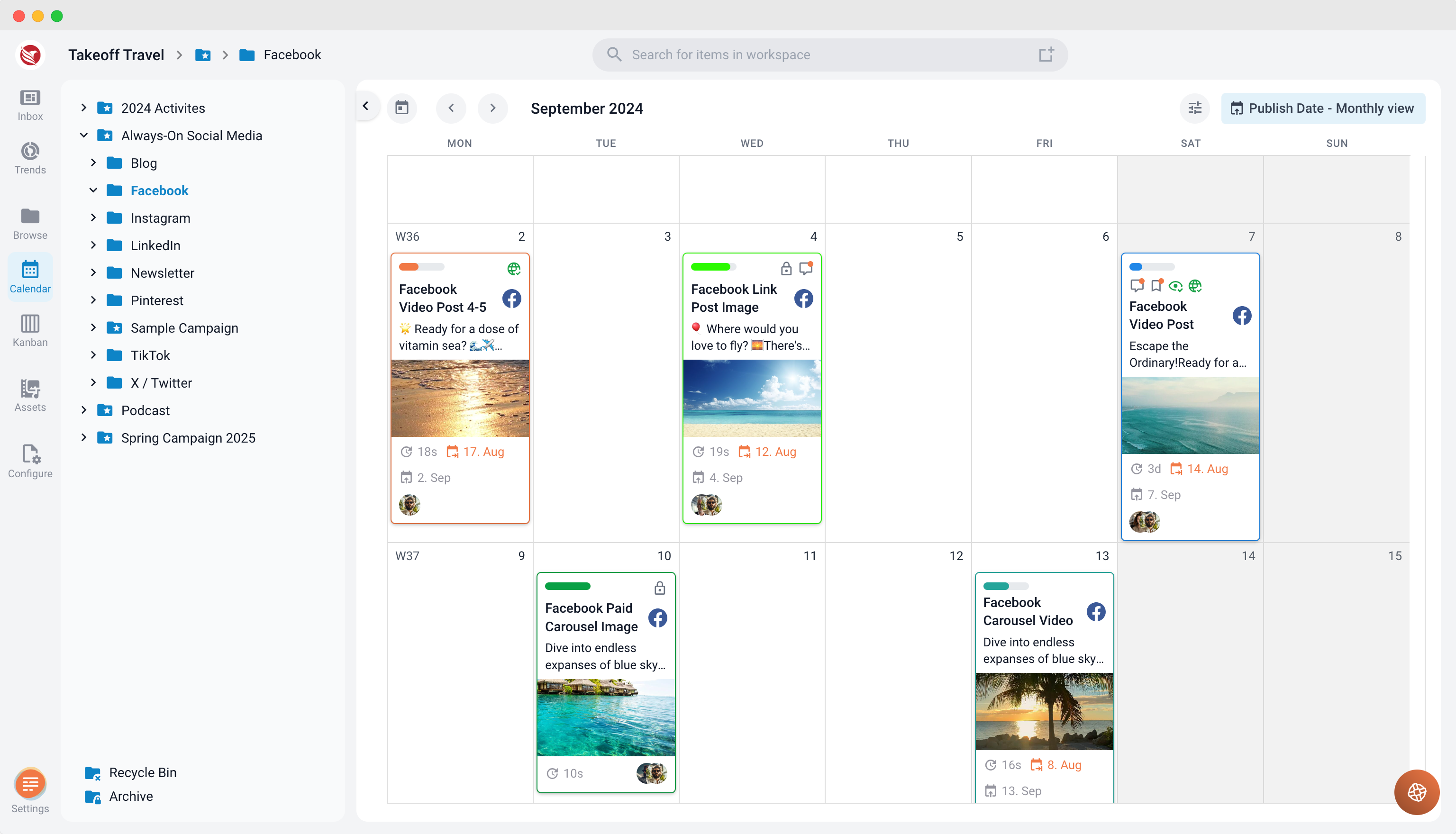
- Filter Options: Additionally, you can toggle filters to further drill down into the data displayed in the calendar. Filters allow you to sort and view content items based on criteria such as status, assignee, or name. This level of customization ensures that you can manage even the most complex content schedules with ease.
The Publishing Dates Calendar in ContentPaul is more than just a scheduling tool—it's the backbone of your communication strategy. With it, you can plan, adjust, and refine your content timeline, ensuring that every piece of communication is executed flawlessly and on time.