
Manage Content Production with Due Dates
Setting Due Dates in ContentPaul is a crucial aspect of managing content production effectively. When combined with user assignments and workflow status, Due Dates allow you to organize your content production in a task-based manner, ensuring that all tasks are completed on time and in an orderly sequence.
How Due Dates Work
Due Dates in ContentPaul are deadlines that specify when a particular task should be completed. They can be set for both individual items and multiple items at once (bulk items), providing flexibility in how you manage your projects.
- Individual Items: Setting a Due Date on a single content item allows you to focus on specific tasks that need to be completed by a certain time.
- Bulk Items: When you have several items that need to be completed by the same deadline, you can set Due Dates for all of them simultaneously, streamlining the process and ensuring consistency.
Combining Due Dates with Assignments and Workflow Status
The true power of Due Dates in ContentPaul emerges when they are used in combination with user assignments and workflow status updates. This integration provides a structured approach to content production, ensuring that everyone involved knows what needs to be done and by when.
- User Assignments:
When a Due Date is set for a task, you can assign that task to a specific user. This clearly defines who is responsible for completing the task and by what deadline. The assigned user will be aware of the target date, allowing them to prioritize their work accordingly. - Workflow Status:
The workflow status feature in ContentPaul further enhances task management by indicating the current stage of a content item. By changing the status within the production workflow, you can outline the next steps or provide specific instructions on what needs to be done. For example:- If a content item is in the "Copywriting" stage, the workflow status might indicate that the next step is "Design".
- Once the Due Date is reached, the assigned user can update the workflow status to "Design," signaling that the task is done.
- Communication Through Comments:
In addition to workflow status, comments can be used to provide further details or instructions for the assigned task. This ensures that the assigned user fully understands the expectations and any specific requirements related to the task.
Setting Due Dates
Setting Due Dates in ContentPaul is straightforward:
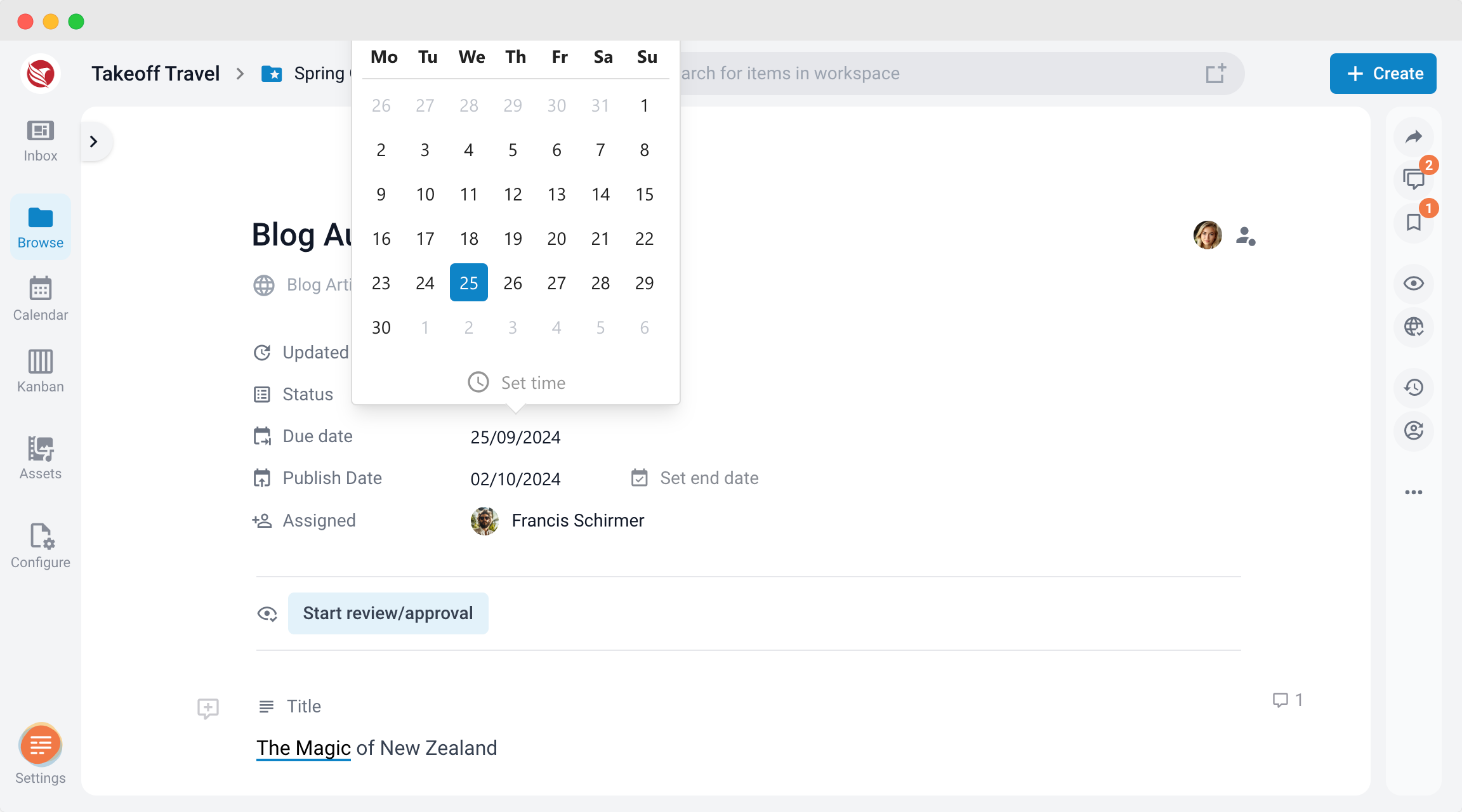
- For Individual Items in the Editor:
- Navigate to the content item you wish to set a Due Date for.
- In the item details, find the Due Date field and select the desired date.
- Assign the task to a specific user and update the workflow status if necessary.
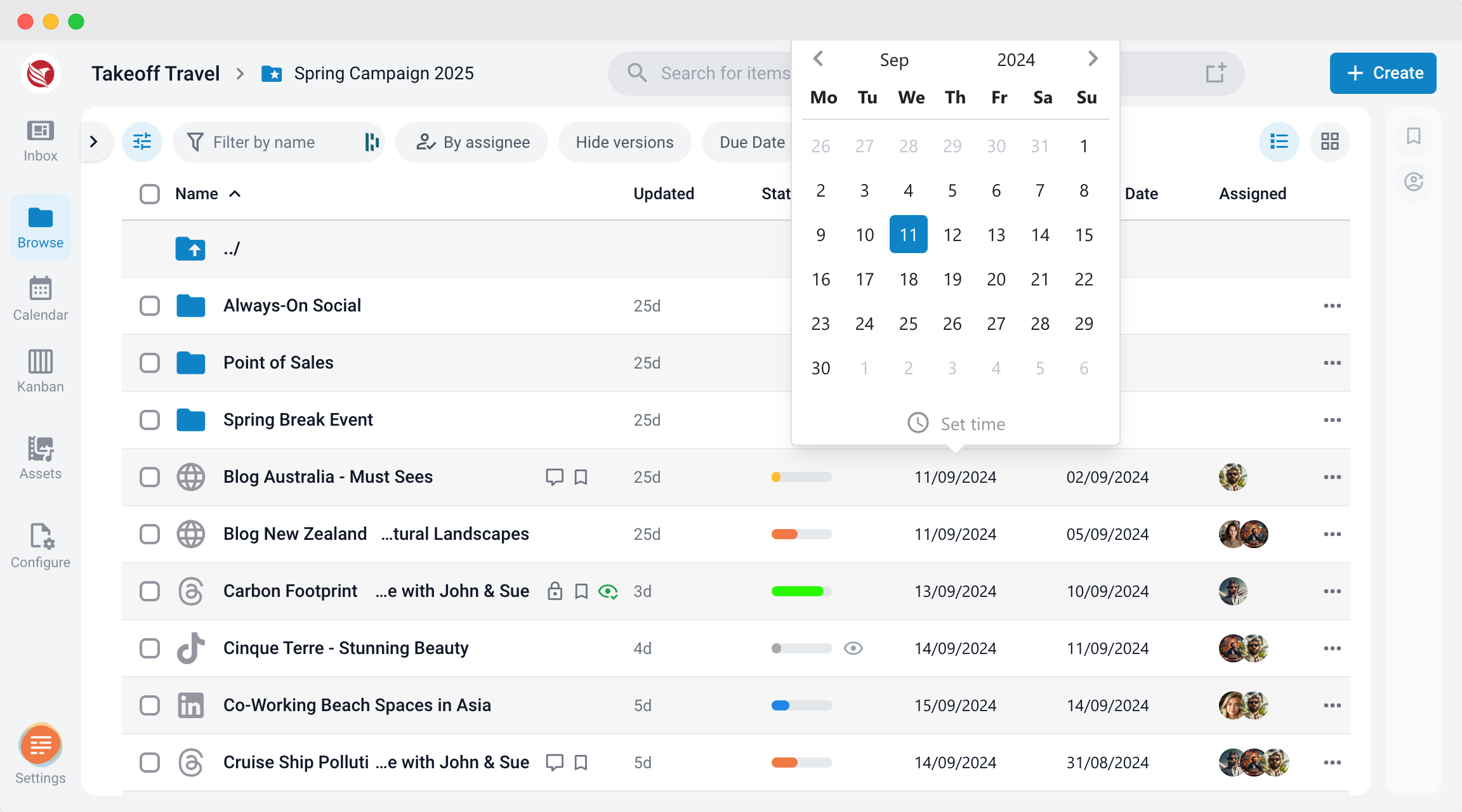
- For Individual Items in the Browse section:
- Select the content item you wish to set a Due Date for.
- Click the Due Date field and select the desired date.
- Assign the task to a specific user and update the workflow status if necessary.
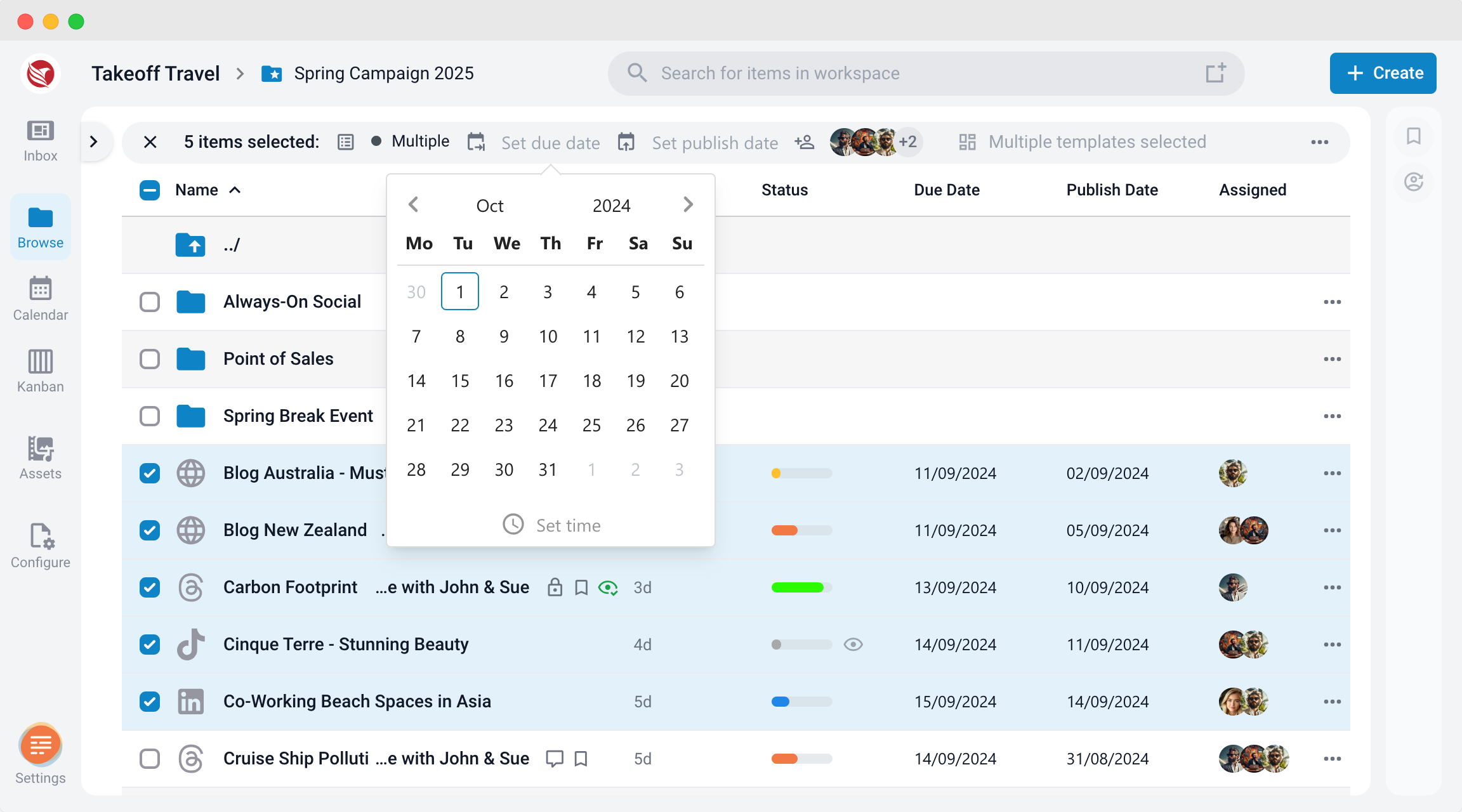
- For Bulk Items:
- Select the items you wish to apply a Due Date to.
- Use the Bulk Action feature to set the same Due Date for all selected items.
- Assign the tasks to users and update the workflow status as needed.
Add Times to your Dates
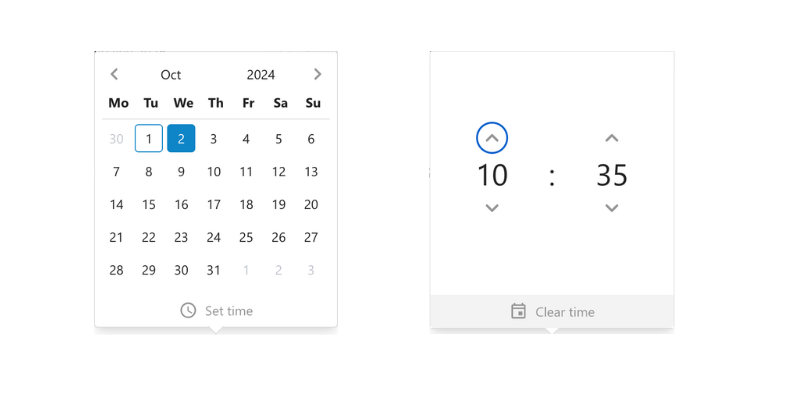
In ContentPaul, you have the option to set not only the due date but also a specific time for when something needs to be completed. To add a time, simply open the date selector and click on the "Set time" option. From there, choose the desired time for publication. Setting both date and time allows for precise control over your content's progress.
Viewing Due Dates Across Different Sections
Due dates are an essential part of managing content effectively, ensuring that tasks are completed on time. Below are the various locations where you can view due dates within the platform:
1. Content Item Editor
When working directly on a content item, you can view the due date within the editor itself. The due date is typically displayed in the header of the editor, depending on the platform’s layout. This allows you to stay aware of deadlines as you make changes or additions to the content.
2. Browse View - Item Listing
In the Browse view, where all your content items are listed, the due date for each item is visible in the item listing. This makes it easy to scan through multiple items and quickly identify upcoming deadlines. The due date is often displayed alongside other key information such as the item’s title, status, and assigned user.
3. Calendar View - Due Dates Calendar Selection
In the Calendar view, you can see due dates on the item cards when the "Due Dates" calendar is selected. Each item card will display its corresponding due date, providing a visual representation of deadlines over a weekly or monthly period. This view is particularly useful for planning and ensuring that content timelines are evenly distributed.
4. Kanban View - Cards
In the Kanban view, due dates are visible directly on the cards representing each content item. These cards are organized into columns based on the workflow stages, and the due date is typically shown in the corner or under the item title. This allows you to track the progress of tasks while keeping an eye on their deadlines.
By checking these locations, you can easily monitor and manage your content’s due dates across different stages of your workflow.
Benefits of Using Due Dates in ContentPaul
- Organized Task Management: Due Dates help you keep track of when tasks need to be completed, ensuring that nothing falls through the cracks.
- Clear Accountability: By assigning tasks to specific users with Due Dates, you ensure that everyone knows their responsibilities and deadlines.
- Streamlined Workflow: Integrating Due Dates with workflow status and comments provides a clear path for content production, making it easier to manage complex projects.
- Efficiency in Production: Setting Due Dates for both individual and bulk items ensures that all aspects of content production are handled efficiently, reducing the risk of delays and improving overall productivity.
Setting Due Dates in ContentPaul is a powerful way to manage your content production process. By combining Due Dates with user assignments and workflow status, you can organize tasks effectively, ensure clear communication, and keep your projects on track.