
Creating and Editing Items in the Calendar
Easily create and edit content items in the calendar with a few clicks. Manage titles, templates, and assignments efficiently.
In ContentPaul, creating and editing content items directly from the calendar is designed to be intuitive and efficient. Here’s how you can do it:
Creating a New Content Item
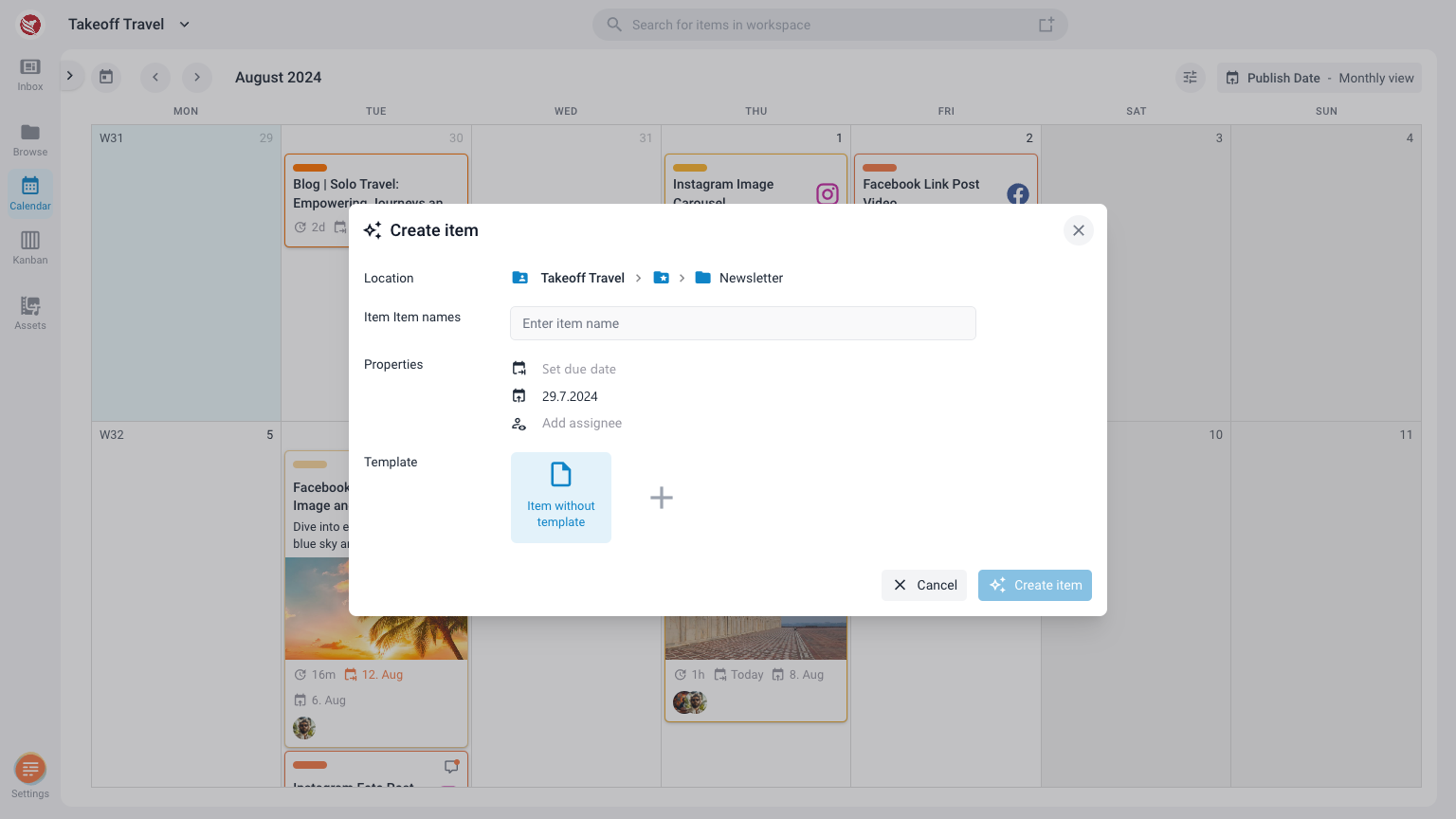
- Click on a Date: Navigate to your calendar and click on any empty space on your selected day. This action will trigger the "Create New Item" modal window.
- Fill in the Details:
- Title: Enter the title of your content item.
- Template: Choose a template from the available options to structure your content.
- Assign Users: Select users to assign to this content item, ensuring they are informed and can collaborate on the task.
- Auto-Populated Date: Depending on whether you created the item within the due date calendar or the publish date calendar, the respective date field will be automatically populated with the selected date.
- Close: Once you’ve filled in all necessary information, your item will appear in the calendar on the selected date.
Editing an Existing Content Item
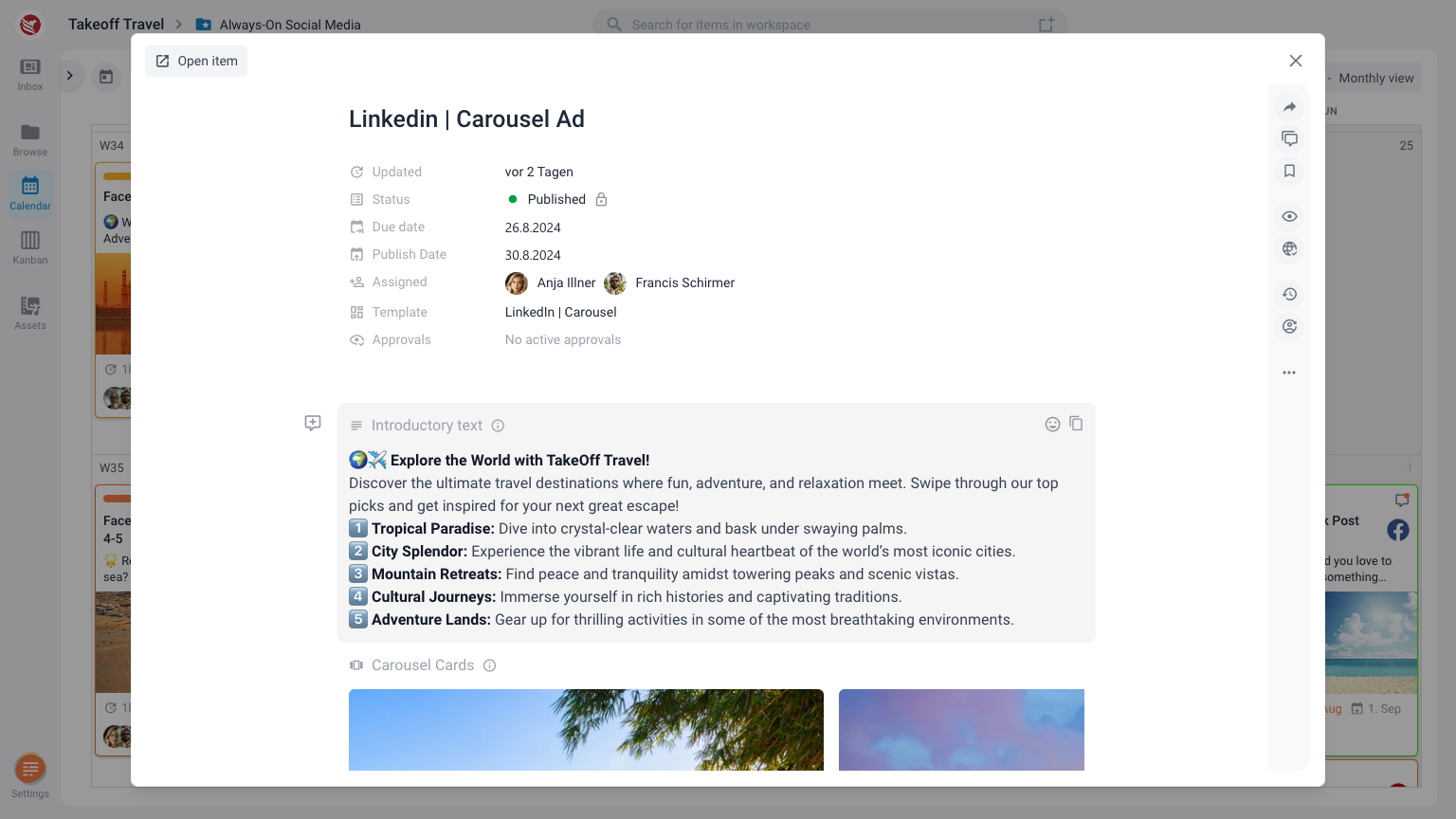
- Access the Item: To edit an item, simply click on the item in the calendar. This will open the item details in a modal window.
- Edit in the Modal:
- Make any necessary changes directly within the modal window. You can update any part of the content, change the template, modify assigned users, or adjust the dates.
- Every change is saved in real-time. To return to the calendar, close the modal window.
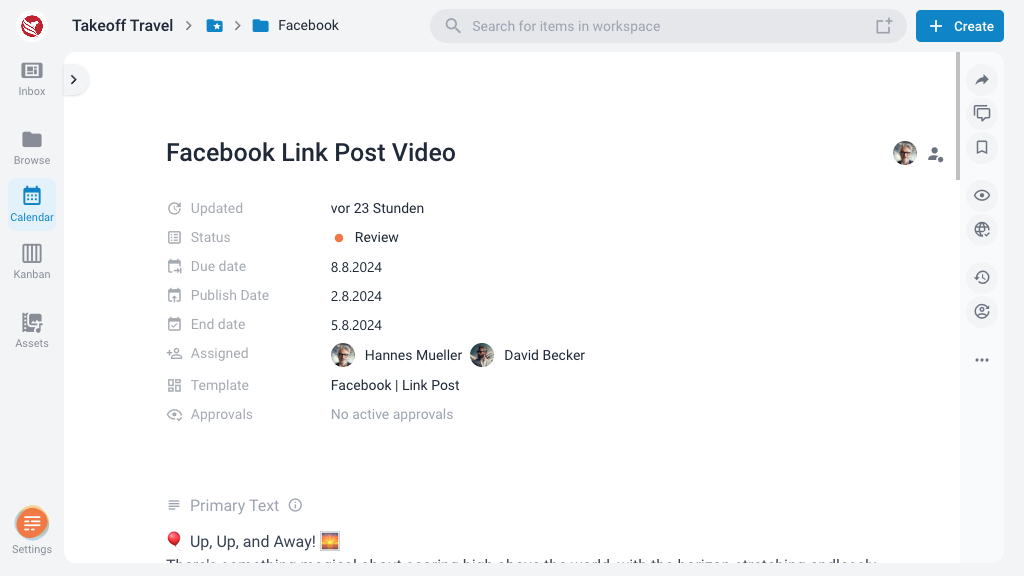
- Open in Editor: For more extensive edits, click on "Open Item" in the top left corner of the modal window. This will open the item in the full editor, where you can make detailed changes.
- Navigate Back: After editing, you can return to the calendar view by using the breadcrumb trail. Clicking on the path (folder) in the breadcrumb will take you back to the calendar view for that specific folder, ensuring you can easily continue your workflow.
These features make it simple to create and manage content items directly from your calendar, keeping your content planning organized and aligned with your editorial strategy.