
Versions
The Version feature lets you create and manage multiple content variants, ideal for different formats, languages, or A/B testing.
The Version feature is a powerful tool for content production, offering flexibility and efficiency in managing various content variations. This feature allows you to create multiple versions of any content item, making it particularly useful for multilingual content, format adaptations, and A/B testing.
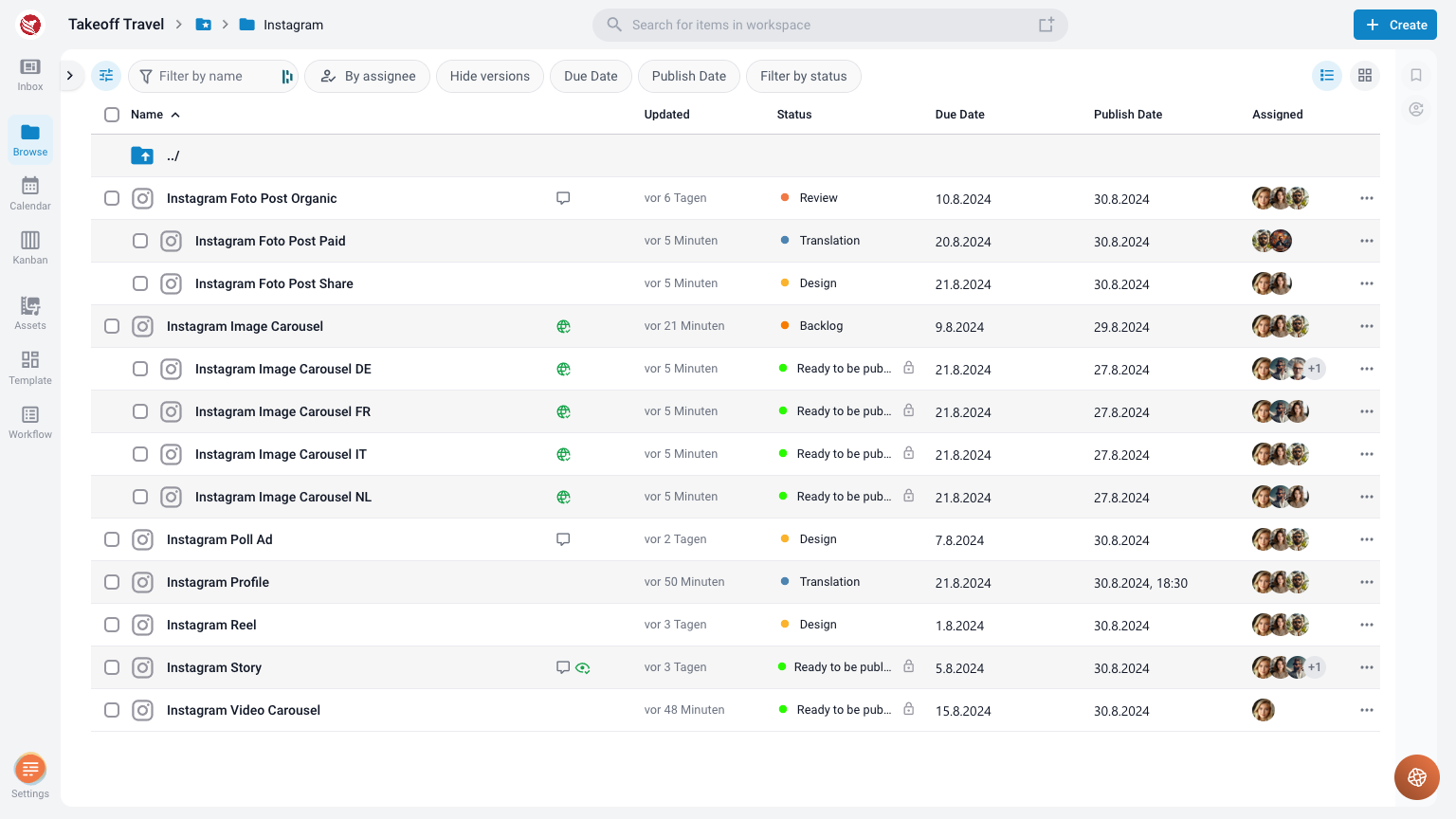
Key Applications of the Version Feature
- Language Variants:
For multilingual content, the Version feature is an effective method to manage translations. From the approved Master Version, you can create language-specific versions that can be edited as separate items. Despite being edited individually, these versions maintain a connection to their Master Version, which simplifies the organization and ensures consistency across all language variants. - Format Adaptations:
When creating content that needs to be adapted to different formats (e.g., web, print, social media), the Version feature allows you to make slight modifications from the Master Version. Each adaptation is treated as a separate item, which can be individually reviewed and approved. These versions start as an initial copy of the Master Version and can then be customized as needed while remaining linked to the Master Version for easy organization. - A/B Testing:
For A/B testing scenarios, the Version feature is ideal for creating different content variations to test with different audiences. Each version can be independently edited and assessed while still being part of the same content unit, enabling organized and efficient testing.
How to Use the Version Feature
- Create a Master Version:
Start by creating your primary content item, known as the Master Version. This version serves as the base for all subsequent versions. - Generate New Versions:
From the Master Version, generate as many versions as needed. These can be specific to different languages, formats, or any other variations you require. - Edit Versions Separately:
Each version can be edited as a distinct item. You can adjust content to fit the needs of the specific version while maintaining the core structure and intent of the Master Version. - Manage and Organize Versions:
All versions remain linked to their Master Version, which allows for easy management and organization. Despite being separate items, their connection to the Master Version ensures that they are all part of a cohesive content strategy. - Review and Approval:
Each version can undergo its own review and approval process. This ensures that every variant meets the necessary standards before being published or distributed.
Benefits of Using the Version Feature
- Efficient Multilingual Content Management: Easily create and manage language variants without losing track of the original content.
- Streamlined Format Adaptations: Adapt content to various formats while keeping everything organized and connected to the original version.
- Effective A/B Testing: Create and manage different versions for testing purposes, ensuring each variation is well-organized and easily accessible.
- Organized Content Production: Keep all versions of your content linked and organized, reducing the risk of errors and improving workflow efficiency.
The Version feature is an essential tool for any content production process that requires multiple variations of a single item. Whether you're managing multilingual content, creating format adaptations, or conducting A/B testing, the Version feature provides the flexibility and control needed to keep your content organized and effective.