
Setting Publish Dates
Setting Publish Dates in ContentPaul is a vital part of managing your content production and release schedule. A Publish Date serves two main purposes:
- it marks the deadline by which the production phase of a content item must be completed, and
- it schedules the exact moment when the content will be made available to the public. Whether you're posting to a website, sending out a newsletter, or publishing on social media platforms, the Publish Date ensures your content goes live precisely when you intend.
Understanding Publish Dates
A Publish Date is the final deadline in the content production process. It signifies that all work on a content item, including writing, editing, approvals, and any necessary revisions, must be finished by that date. Once the Publish Date is reached, the content item is released to the designated platform or audience, ensuring a timely and coordinated publication.
Setting Publish Dates
Publish Dates in ContentPaul can be set for both individual content items and multiple items at once (bulk items), offering flexibility in how you manage your publication schedule.
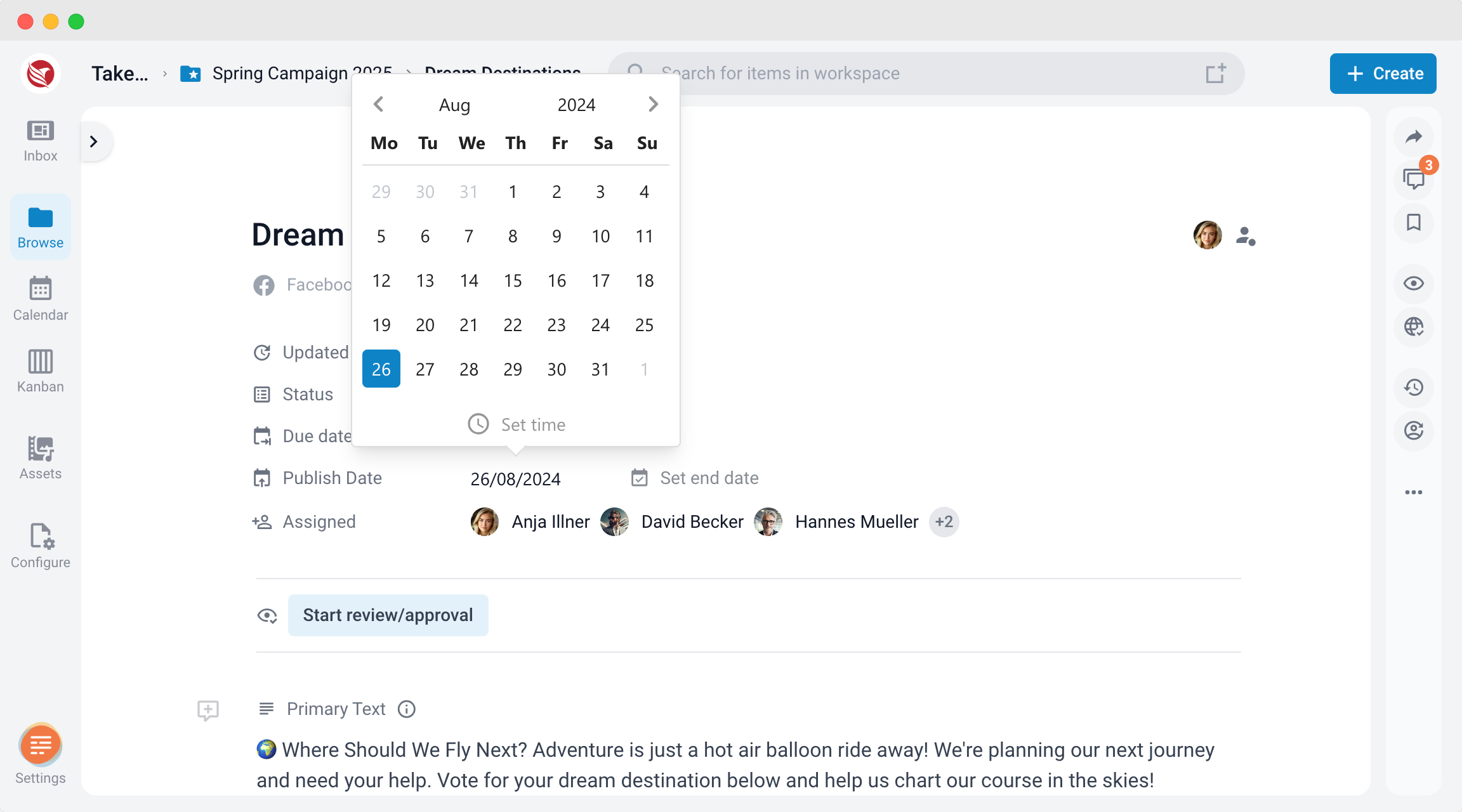
- For Individual Items in the Editor:
- Navigate to the content item you wish to set a Publish Date for.
- Locate the Publish Date field within the item details.
- Select the desired date and time when you want the content to go live.
- Confirm the Publish Date, ensuring that all necessary production tasks will be completed by this deadline.
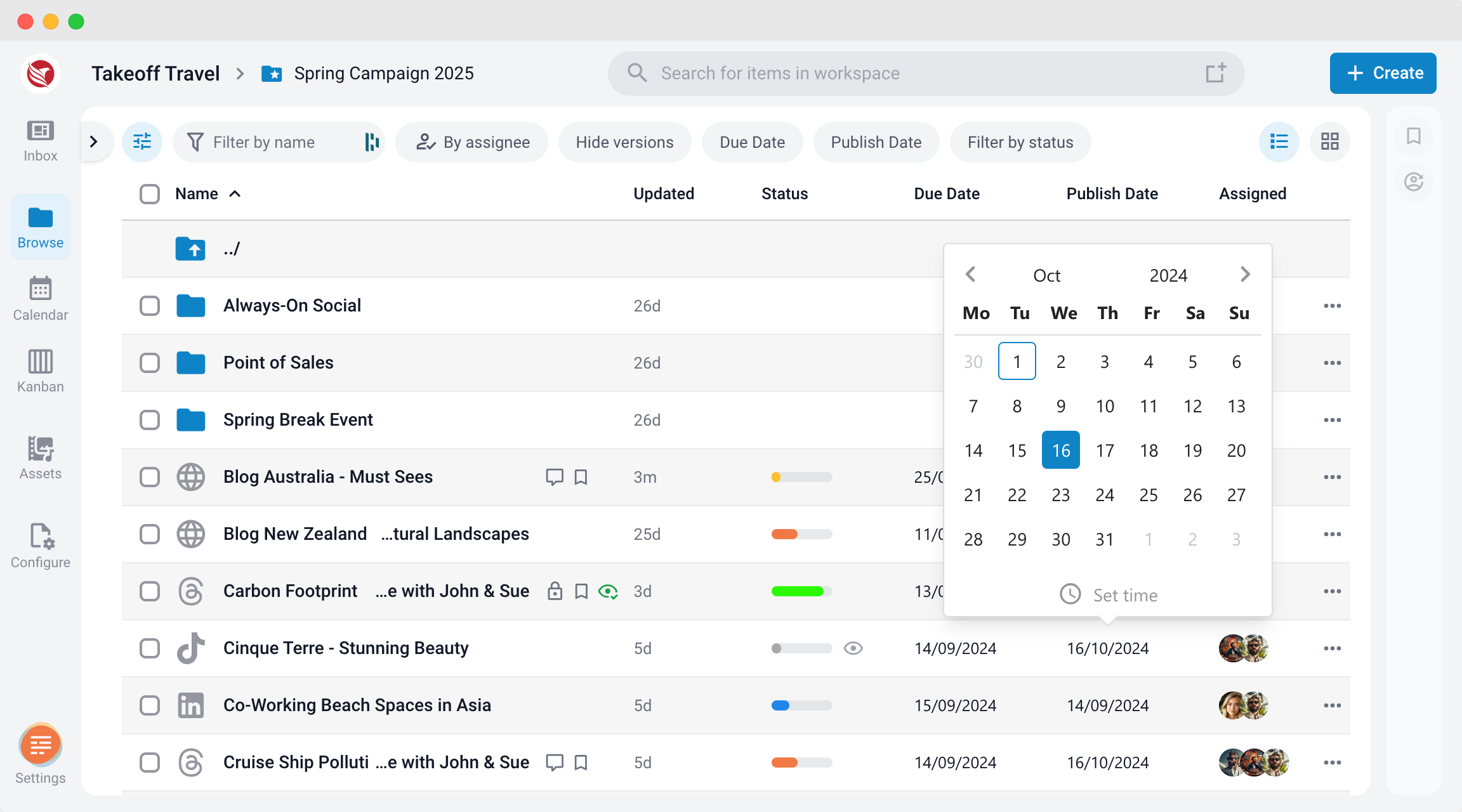
- For Individual Items in the Browse section:
- In the Browse Section, select the content item you wish to set a Publish Date for.
- Select the desired date and time when you want the content to go live.
- Confirm the Publish Date, ensuring that all necessary production tasks will be completed by this deadline.
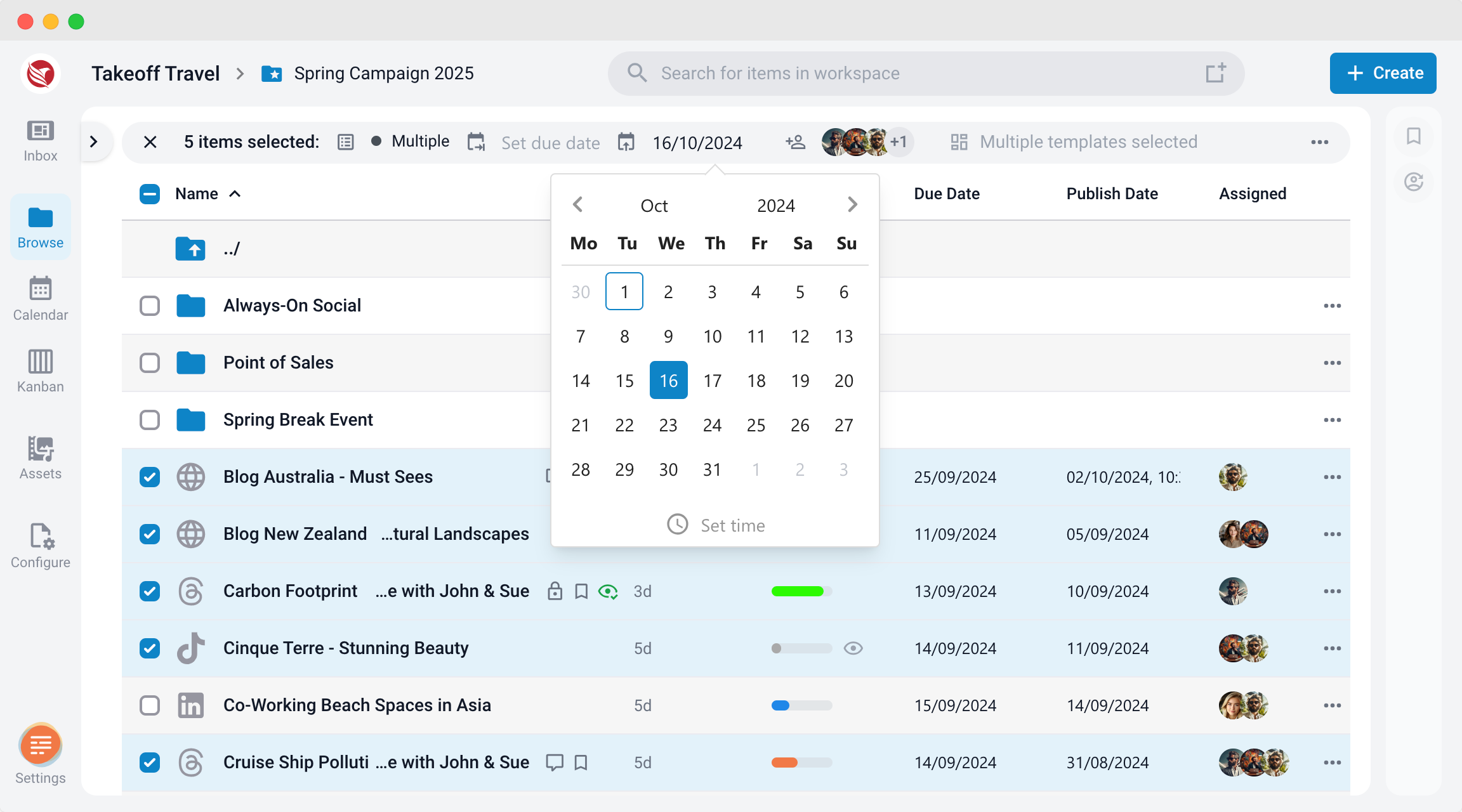
- For Bulk Items:
- Select the items you want to schedule for publication.
- Use the Bulk Action feature to set the same Publish Date for all selected items.
- This is particularly useful for coordinating the release of multiple pieces of content across different platforms simultaneously.
Add Times to your Dates
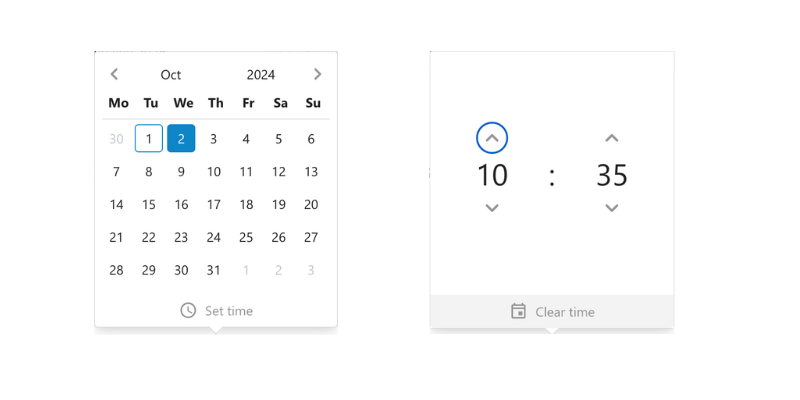
In ContentPaul, you have the option to set not only the publish date but also a specific time for when your content goes live. To add a time, simply open the date selector and click on the "Set time" option. From there, choose the desired time for publication. This feature is especially helpful for scheduling content to be automatically posted on external platforms, ensuring that your content is released at the optimal moment for your audience. Setting both date and time allows for precise control over your content's release.
Viewing Publish Dates Across Different Sections
Publish dates are crucial for managing your content release schedule, ensuring that content goes live at the right time. Below are the various locations where you can view publish dates within the platform:
1. Content Item Editor
When working directly on a content item, you can view the publish date within the editor itself. The publish date is typically displayed in the header of the editor, depending on the platform’s layout. This allows you to stay informed about when the content is scheduled to go live as you make changes or additions.
2. Browse View - Item Listing
In the Browse view, where all your content items are listed, the publish date for each item is visible in the item listing. This feature makes it easy to scan through multiple items and quickly identify upcoming publication schedules. The publish date is often displayed alongside other key information such as the item’s title, status, and assigned user.
3. Calendar View - Publish Dates Calendar Selection
In the Calendar view, you can see publish dates on the item cards when the "Publish Dates" calendar is selected. Each item card will display its corresponding publish date, offering a visual representation of your content schedule over a weekly or monthly period. This view is particularly useful for planning and ensuring that content is published at optimal times.
4. Kanban View - Cards
In the Kanban view, publish dates are visible directly on the cards representing each content item. These cards are organized into columns based on the workflow stages, and the publish date is typically shown in the corner or under the item title. This allows you to track the progress of tasks while keeping an eye on when content is set to be published.
By checking these locations, you can easily monitor and manage your content’s publish dates across different stages of your workflow.
Why Publish Dates Are Important
- Deadline for Production:
- The Publish Date acts as the final deadline for the content production phase. By setting a clear Publish Date, all team members know when their tasks need to be completed, ensuring that the content is ready for release without last-minute rushes or delays.
- Coordinated Content Release:
- Publish Dates allow you to schedule content to go live at the optimal time for your audience. Whether it’s a blog post, a social media update, or a newsletter, setting a specific Publish Date ensures that your content reaches the public at the right moment.
- Consistency Across Platforms:
- For content that is being released on multiple platforms, such as a website and social media channels, setting a single Publish Date helps maintain consistency in your messaging. This coordinated release enhances the impact of your content and ensures that your audience receives the information at the same time, regardless of the platform.
Managing Publish Dates
To effectively manage Publish Dates in ContentPaul, consider the following best practices:
- Plan Ahead: Schedule Publish Dates well in advance to give your team ample time to complete all production tasks. This reduces stress and minimizes the risk of delays.
- Monitor Progress: Keep track of your content’s progress as the Publish Date approaches. Ensure that all necessary tasks, such as approvals and revisions, are completed on time.
- Adjust If Needed: If unforeseen circumstances arise, you can adjust the Publish Date as necessary. However, it’s best to avoid changes close to the deadline to maintain consistency and avoid confusion.
Benefits of Using Publish Dates in ContentPaul
- Streamlined Workflow: Publish Dates create a clear timeline for content production, helping to keep your team focused and on track.
- Optimized Release Timing: By carefully selecting Publish Dates, you can ensure that your content is released at the most effective time for your audience, maximizing engagement and impact.
- Efficient Management: Setting Publish Dates for bulk items allows you to manage multiple content releases simultaneously, saving time and ensuring a coordinated approach.
Setting Publish Dates in ContentPaul is essential for managing your content production and ensuring that your content is published on time and in a coordinated manner. By setting Publish Dates for individual and bulk items, you can effectively organize your workflow, optimize your content’s release timing, and maintain consistency across all platforms.