
End and Expiration Dates
End or Expiration Dates in ContentPaul are crucial for effective editorial planning and asset management. These dates help you manage the lifecycle of your content and assets, ensuring that your campaigns are well-coordinated and that content is removed or updated at the appropriate time. By setting End Dates, you can gain a complete overview of what content is currently active and ensure compliance with licensing agreements for assets.
Understanding End or Expiration Dates
- End Dates for Content Items:
End Dates are used primarily for editorial planning purposes. They allow you to determine when specific content should no longer be visible to your target audience. This is particularly important for campaigns that have a defined timeline or for content that should be removed after a certain period. - Expiration Dates for Assets:
Expiration Dates are used to manage assets that have licensing agreements, such as images, videos, or other media files. When the license for an asset is about to expire, ContentPaul will notify you, allowing you to take action before the asset's use becomes non-compliant.
Setting End Dates for Content Items
- Purpose:
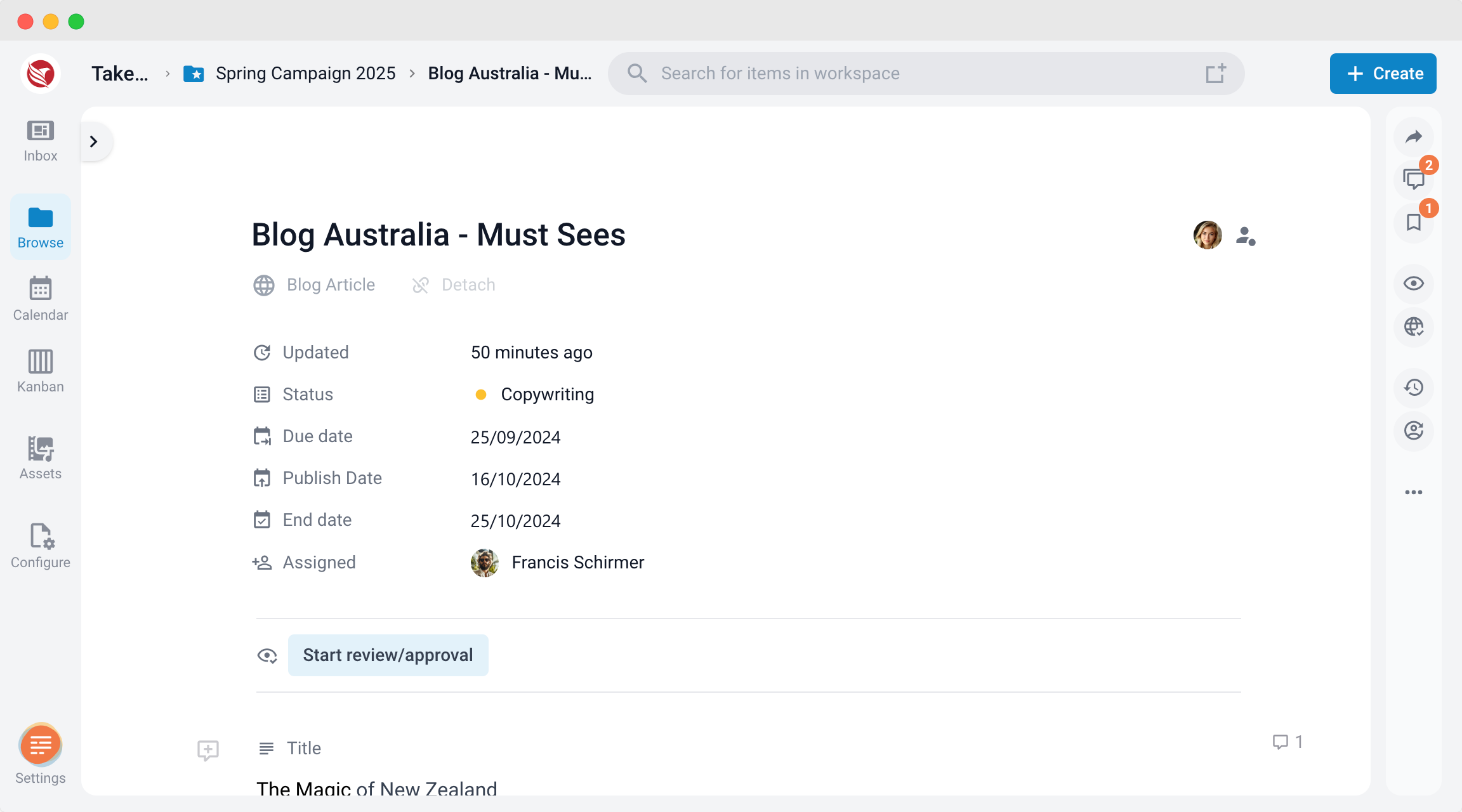
End Dates for content items help you manage the timeline of your campaigns and ensure that content is removed or discontinued at the right time. This provides a clear view of what content is actively reaching your audience and when it needs to be taken down. - Steps to Set End Dates on an Item:
- Navigate to the content item you wish to set an End Date for.
- Locate the End Date field next to the Publish Date within the item details.
- Select the date when the content should be discontinued or removed from public view.
- Confirm the End Date to ensure that the content is managed according to your editorial plan.
.
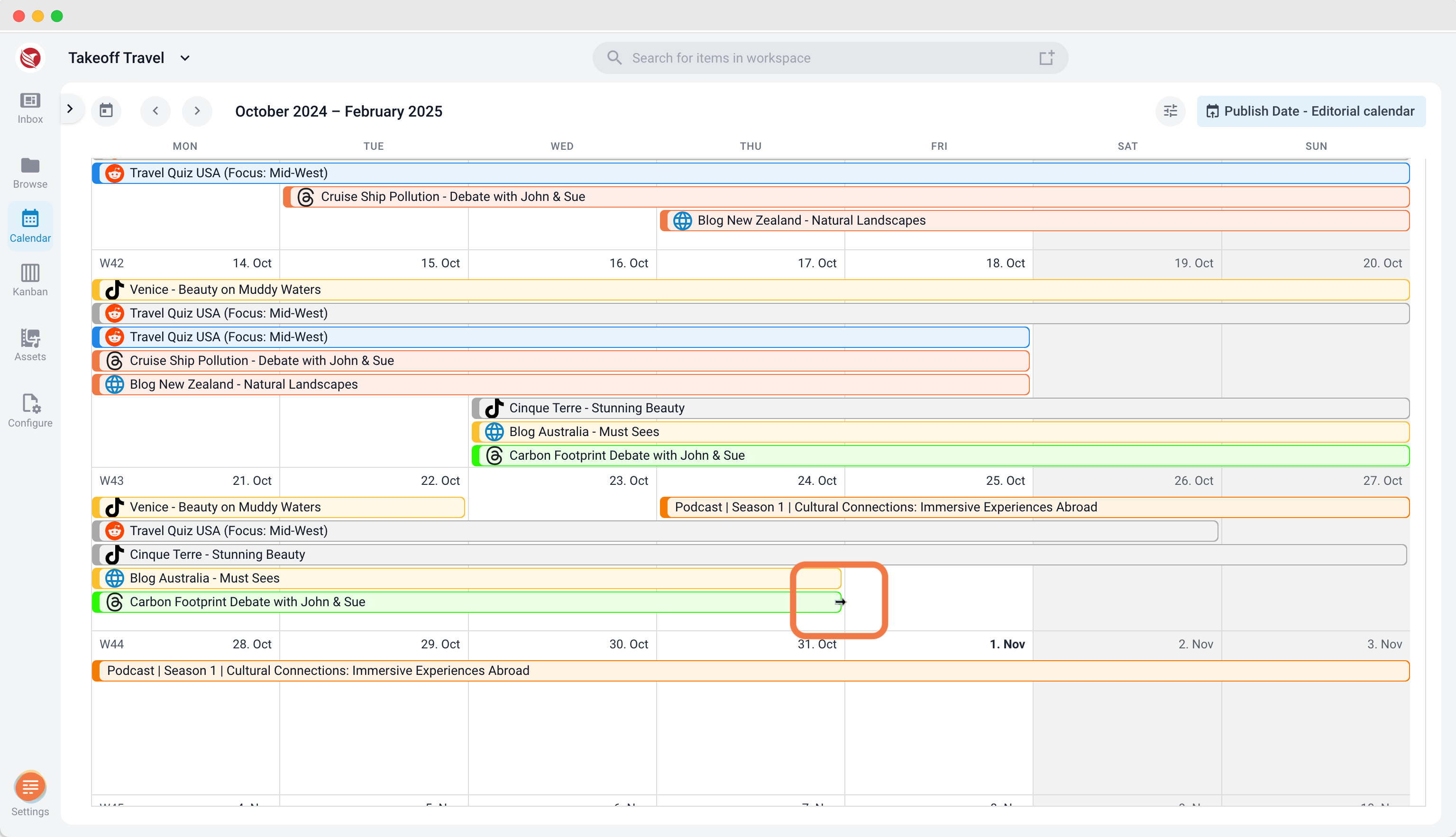
- Steps to Set End Dates in the Editorial Calendar:
- Navigate to the Calender section
- Select the Editorial Calendar view
- Locate the item you want to set an end date.
- Drag the end of the item entry in the calendar to the desired end date.
- Editorial Planning:
By setting End Dates, you can orchestrate various parts of a campaign, ensuring that all content elements align with the campaign's overall timeline. This helps maintain a consistent and effective message across all platforms.
Setting Expiration Dates for Assets
- Purpose:
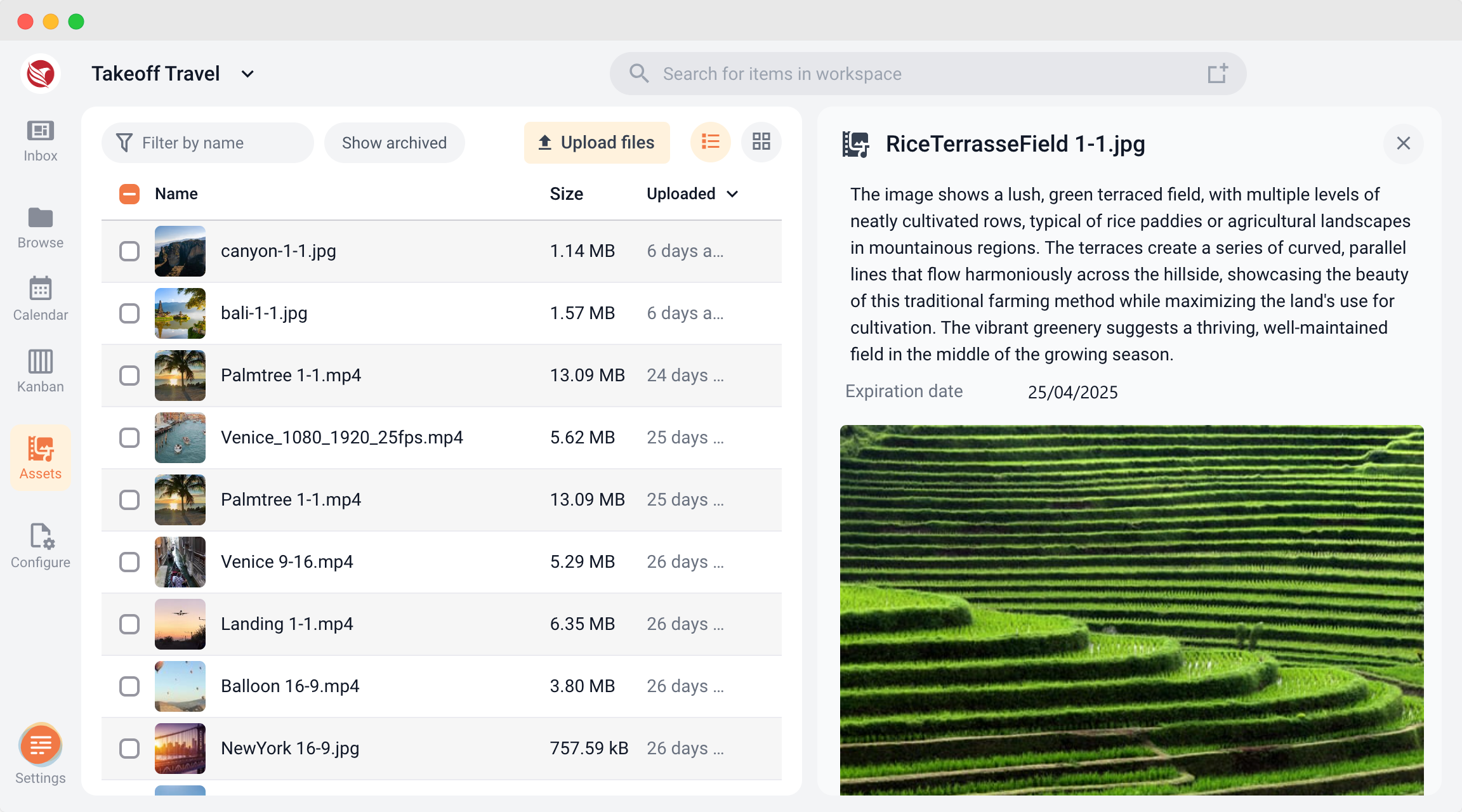
Expiration Dates for assets are essential for managing the lifecycle of licensed content. They ensure that you are notified when an asset's license is about to expire, allowing you to remove or replace the asset before it is used beyond its legal terms. - Steps to Set Expiration Dates:
- Navigate to the asset you wish to set an Expiration Date for.
- Locate the Expiration Date field within the asset details on the right.
- Select the date when the asset's license will expire.
- Confirm the Expiration Date to ensure compliance with the licensing agreement.
- Notifications and Asset Management:
When an Expiration Date is reached, ContentPaul will send you a notification with a link to the expired asset. This notification will also include links to all content items where the asset is in use, allowing you to quickly identify and update or remove the affected content.
Benefits of Using End or Expiration Dates in ContentPaul
- Complete Editorial Overview: End Dates provide a clear view of what content is currently live and when it will end, helping you plan and manage your editorial calendar effectively.
- Campaign Coordination: By setting End Dates, you can ensure that all elements of a campaign are synchronized, allowing for a seamless flow from start to finish.
- Asset Compliance: Expiration Dates help you stay compliant with licensing agreements by notifying you when an asset must be removed or replaced, preventing unauthorized use.
- Efficient Management: Notifications linked to Expiration Dates allow you to quickly manage content updates, ensuring that all affected items are addressed in a timely manner.
Setting End or Expiration Dates in ContentPaul is essential for managing the lifecycle of your content and assets. Whether you're planning an editorial calendar, orchestrating a campaign, or managing licensed assets, these dates provide the structure and oversight needed to ensure that everything runs smoothly and remains compliant. By using End and Expiration Dates effectively, you can maintain control over your content and assets, ensuring they are used appropriately and at the right time.