
Editorial Calendar
The Editorial Calendar in ContentPaul is your ultimate tool for managing and visualizing your editorial strategy. It extends the functionality of the Publishing Dates Calendar by not only showing when content is set to go live but also when it should be sunsetted or de-emphasized. This calendar helps you see the big picture of your communication efforts, ensuring that every piece of content is aligned with your overall strategy at any given time.
Key Features of the Editorial Calendar
- Publishing and End Dates:
- Unlike the standard Publishing Dates Calendar, the Editorial Calendar tracks both the start (publish) and end dates of your content items. This allows you to manage the entire lifecycle of your content, from its initial release to when it is no longer a focus in your communication strategy.
- Aggregated Communication View:
- The Editorial Calendar provides a snapshot of all active content across different platforms at a specific point in time. This helps you understand the cumulative impact of your messaging and ensures that you are not overwhelming or undercommunicating with your audience.
- Bar Representation:
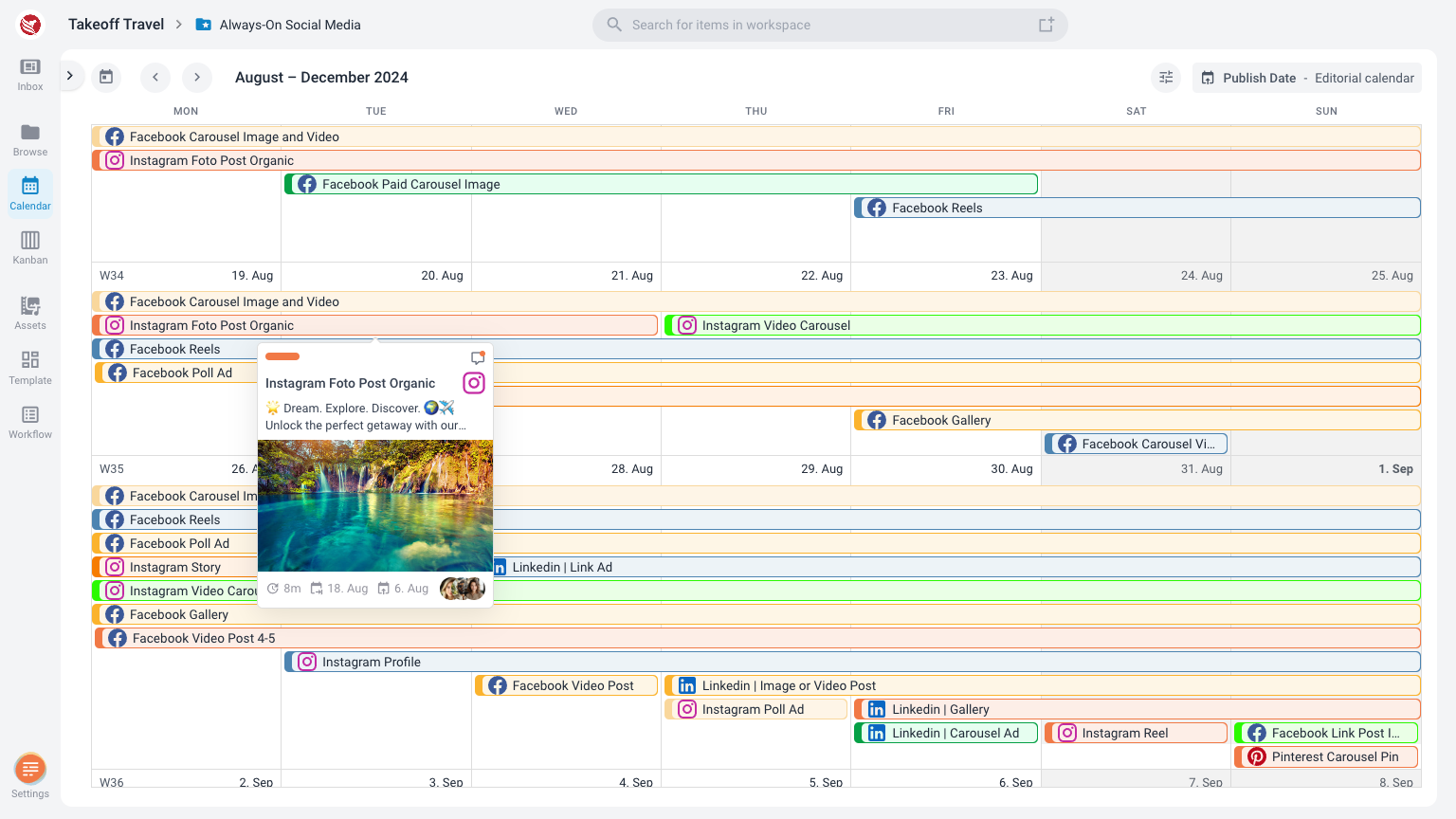
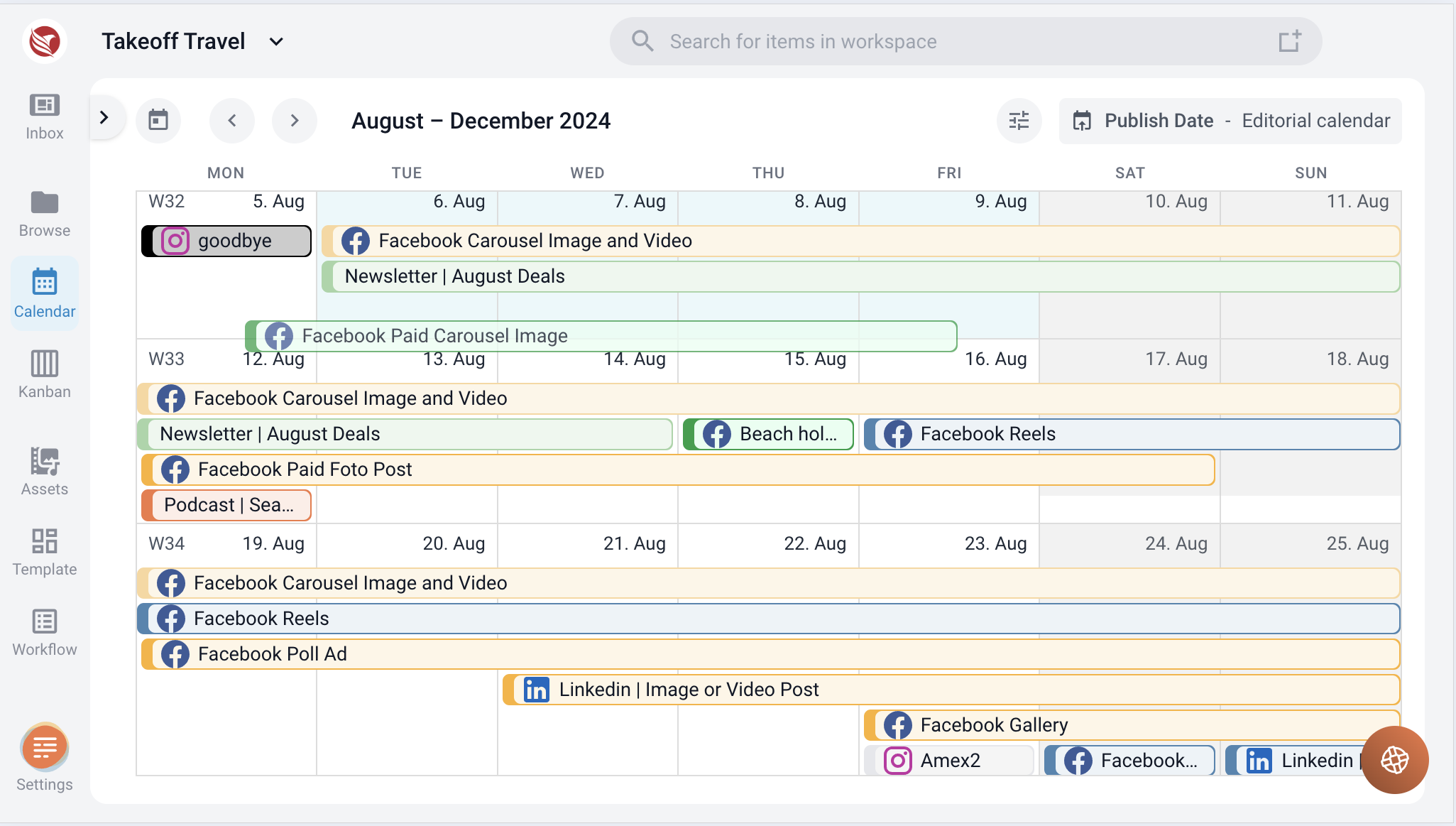
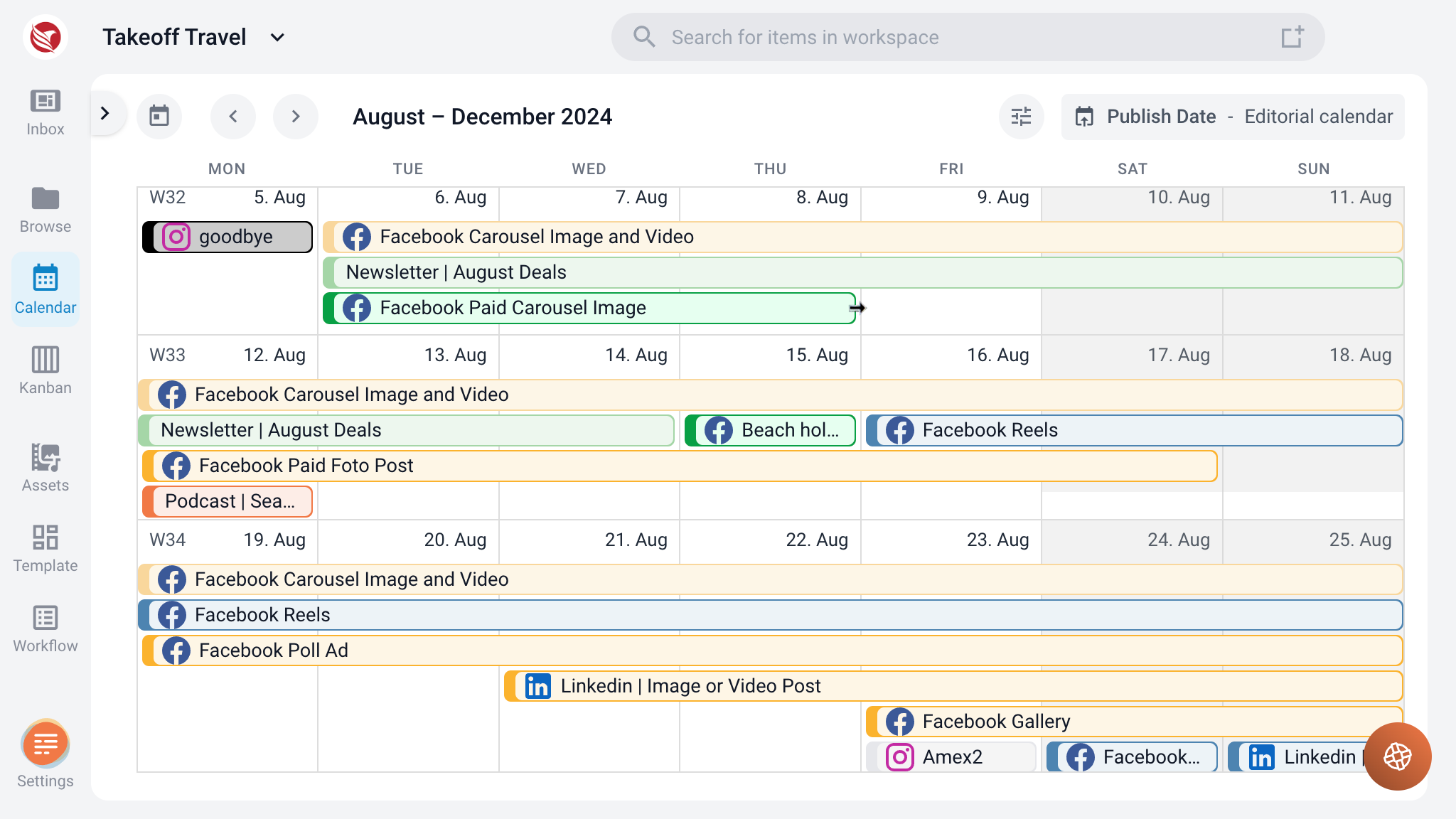
- Content items in the Editorial Calendar are displayed as bars, representing the duration of their activity. The more content items scheduled for a particular day, the higher the stack of bars, giving you a visual overview of your content load.
Interacting with the Editorial Calendar
- Viewing Content Details:
- To view details of a specific content item, simply hover over the corresponding bar. This will activate the content item card, providing a quick preview of its details.
- If you need to make changes or view more information, click on the bar to open the content item modal window, where you can edit the item as needed.
- Adjusting Dates:
- The Editorial Calendar allows for easy adjustment of content timelines. You can grab and move any bar within the calendar to change the start or publish date.
- To extend or shorten the content’s end date, hold the end of the bar and drag it to the desired date. This flexibility makes it simple to adjust your editorial plans as needed, ensuring your content remains relevant and well-timed.
- The Editorial Calendar allows for easy adjustment of content timelines. You can grab and move any bar within the calendar to change the start or publish date.
Benefits of the Editorial Calendar
- Comprehensive Overview: The Editorial Calendar offers a bird’s-eye view of all content items, helping you manage overlapping messages and avoid communication gaps.
- Ease of Use: With intuitive drag-and-drop functionality, adjusting your editorial schedule is quick and effortless.
- Strategic Planning: By tracking end dates, you can plan for content transitions, ensuring that your audience always receives fresh and relevant information.
The Editorial Calendar in ContentPaul is more than just a scheduling tool—it's a strategic asset that helps you manage the entire lifecycle of your content, from publication to sunset. By visualizing your content flow and making adjustments on the fly, you can ensure that your editorial efforts are always aligned with your communication goals.