
Basic Concept
In ContentPaul, the foundation of all work revolves around the content item. This concept is central to how you manage and interact with content on the platform. Here's how it works:
Content Items
Every piece of content in ContentPaul is represented by a content item. These items can be created in two primary ways:
- Unstructured Content: This uses a free-form editor where you can write and format text freely, similar to a blank canvas.
- Structured Content: This involves assembling content blocks (such as text, carousels, checklists, images, videos, or audio) and saving them as a template for future use. Structured content ensures consistency across similar types of content and allows for easier management and reuse.
Regardless of how they're created, content items always combine text elements and assets (like images, videos, or audio files) to form a complete piece of content.
Organizing Content
Content items can be organized within ContentPaul in several ways, depending on the needs of your project or team:
- Folders: A straightforward method of organization, folders allow you to group related content items together for easier management.
- Projects: Projects are a more dynamic way to organize content. Unlike folders, projects come with their unique workflows that apply to all content items within them. This means that every content item in a project follows a specific process, from creation to publication.
Accessing Content
ContentPaul provides multiple ways to access and view your content items, each catering to different needs:
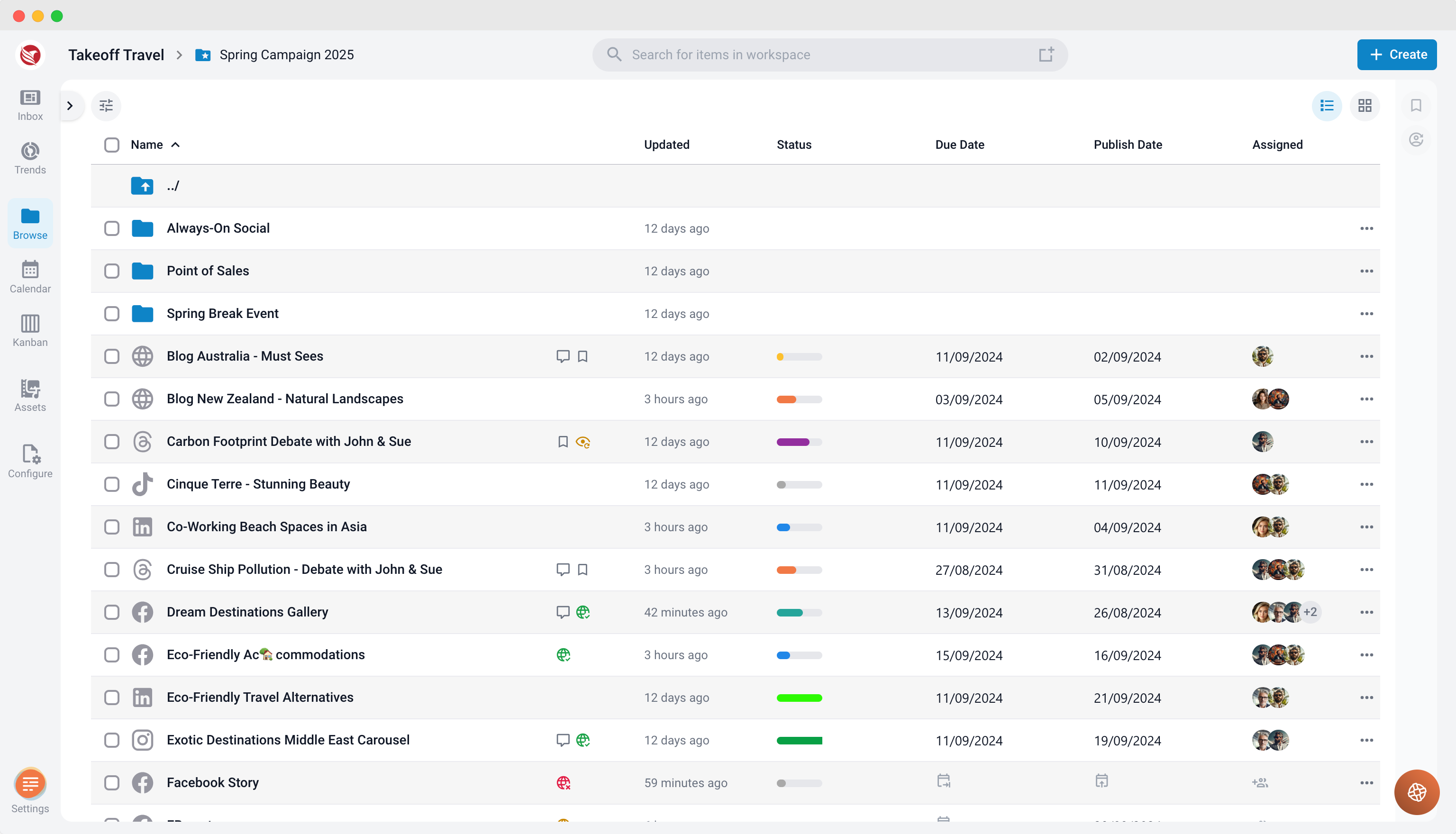
- Browse: In the browse section, content items are represented within a folder structure, showing their hierarchical organization. This view is ideal for those who prefer a traditional file management system.
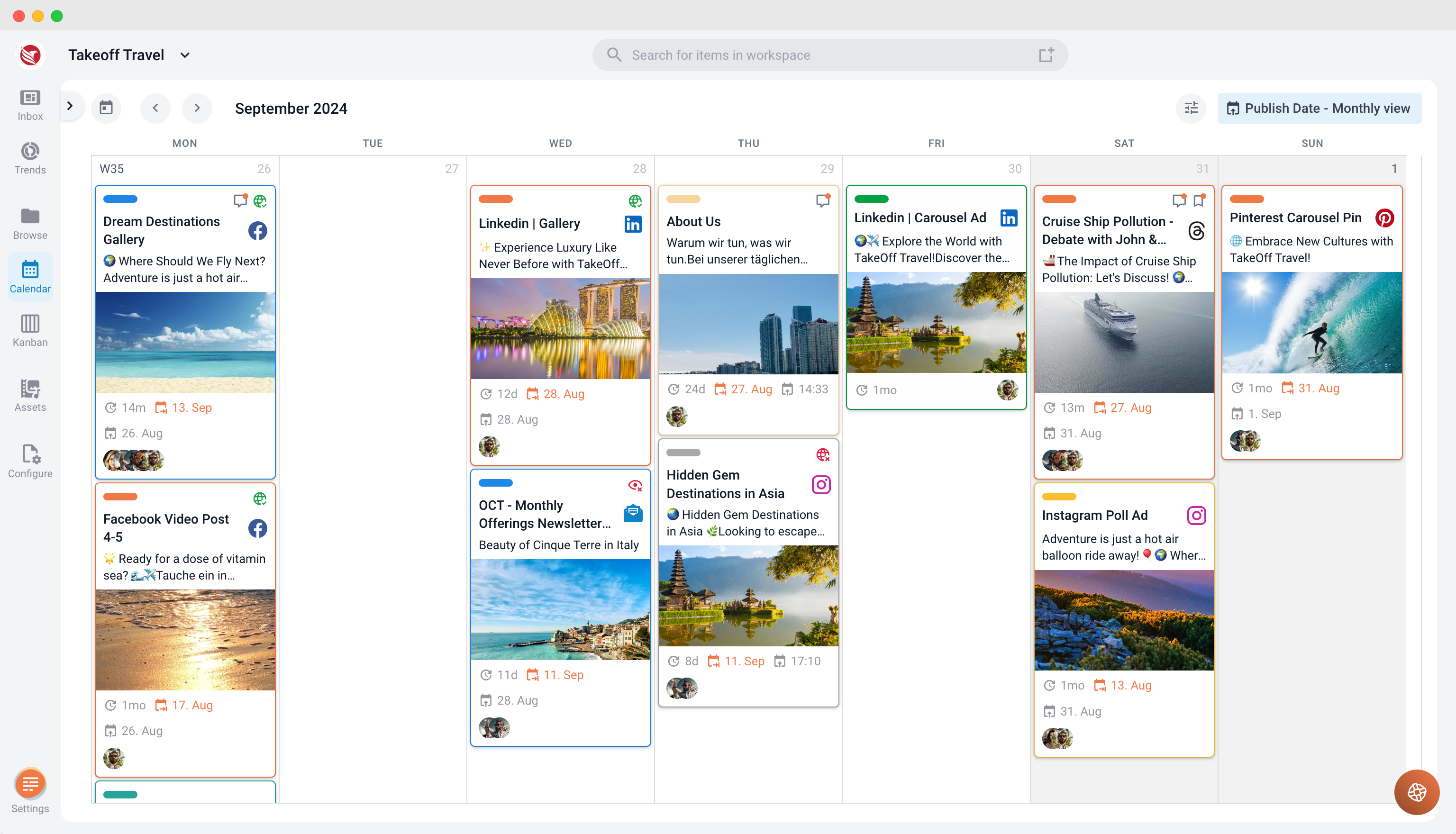
- Calendar: Here, content items are displayed based on their publish dates or due dates. This view is particularly useful for tracking deadlines and ensuring content is delivered on time.
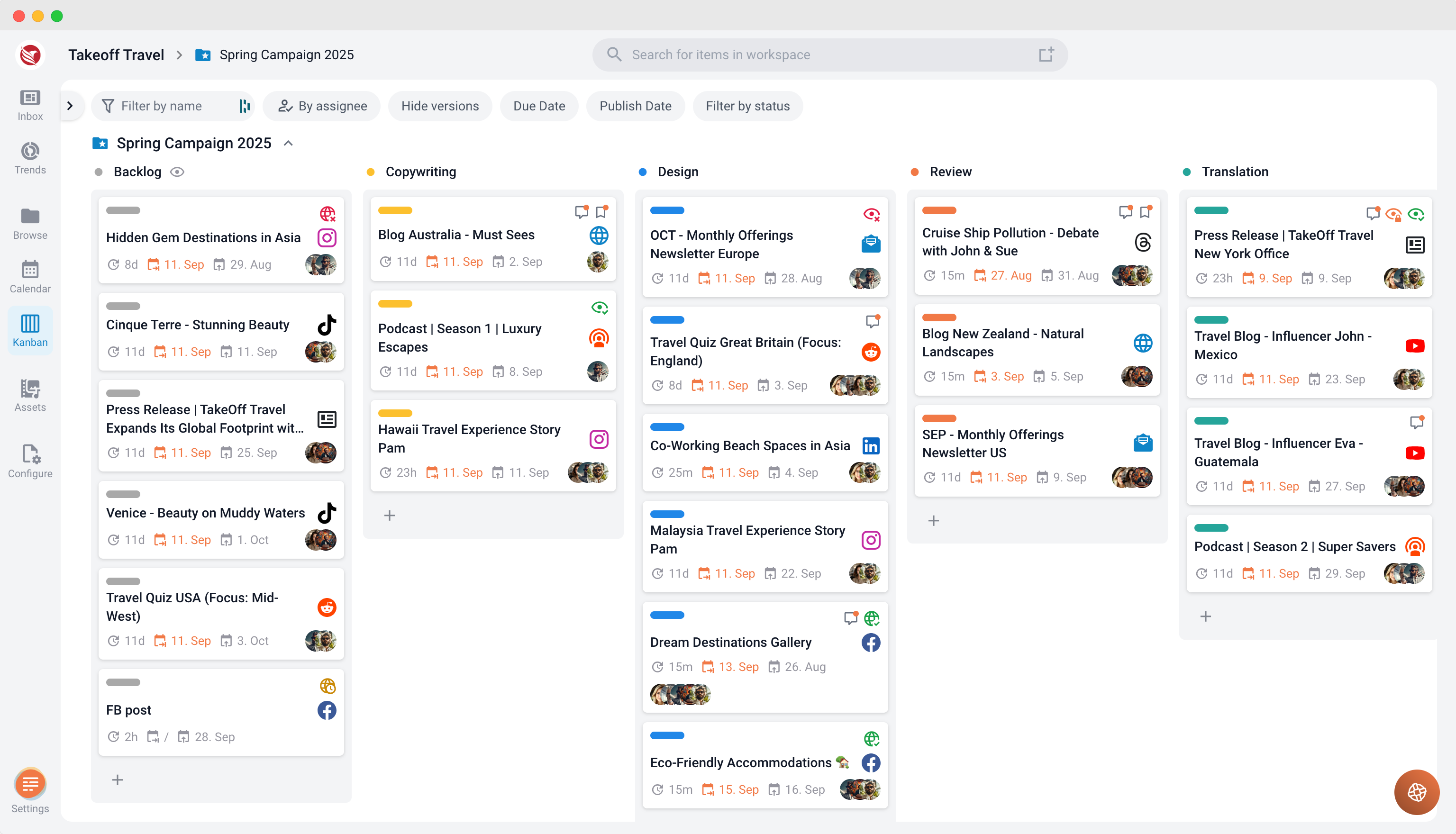
- Kanban: The kanban view organizes content items according to their workflow status. This visual representation helps you see at a glance which items are in progress, under review, or completed.
Refining Your View
To further streamline your work, ContentPaul offers tools to refine how you view and interact with content:
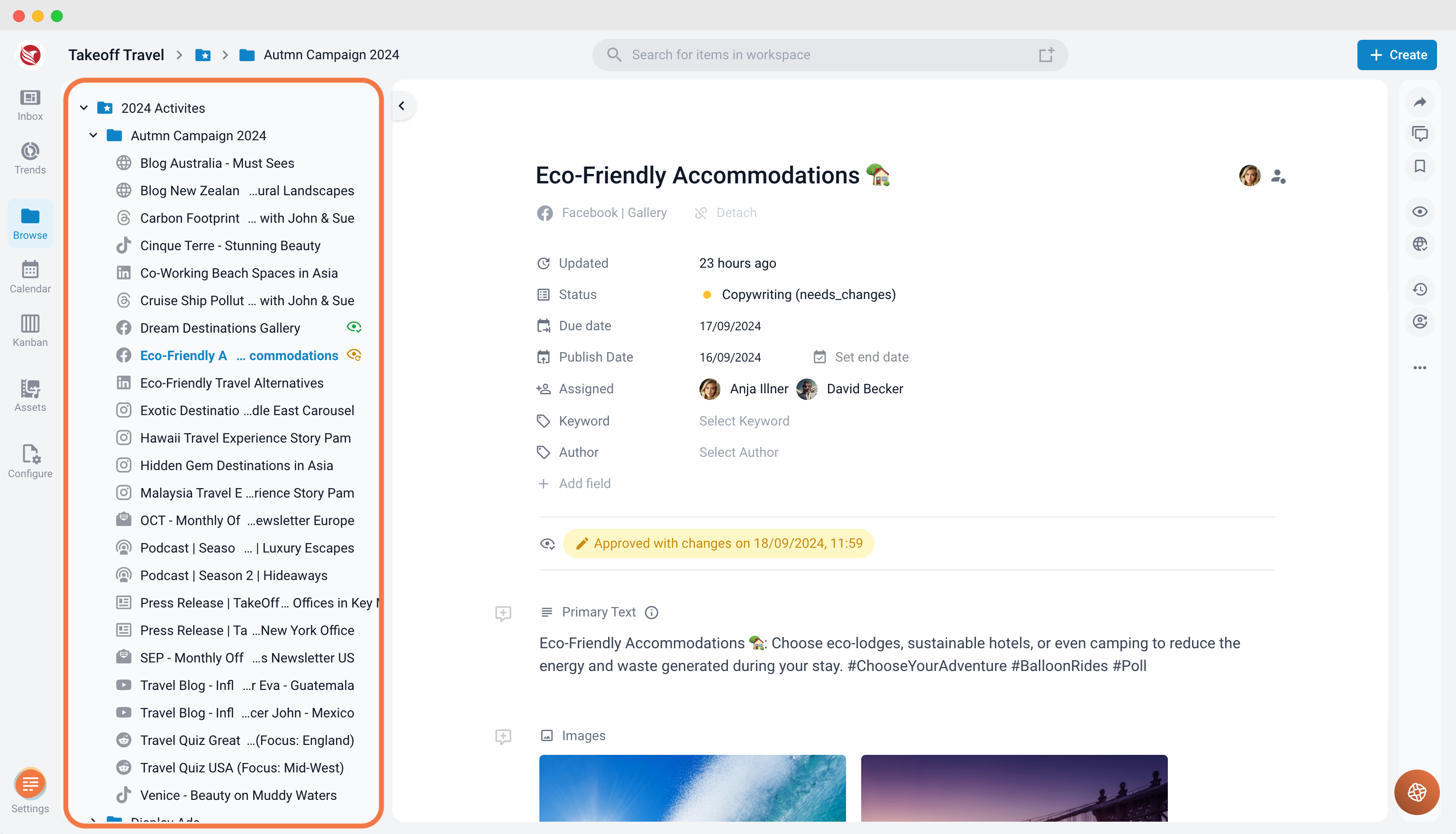
- Expandable Explorer: Located on the left side, the explorer allows you to drill down through the folder structure quickly. This tool is perfect for navigating large volumes of content efficiently.
- Filters: A variety of filters are available to narrow down the content items displayed, making it easier to find exactly what you're looking for. Filters can be based on tags, dates, workflow status, and more.
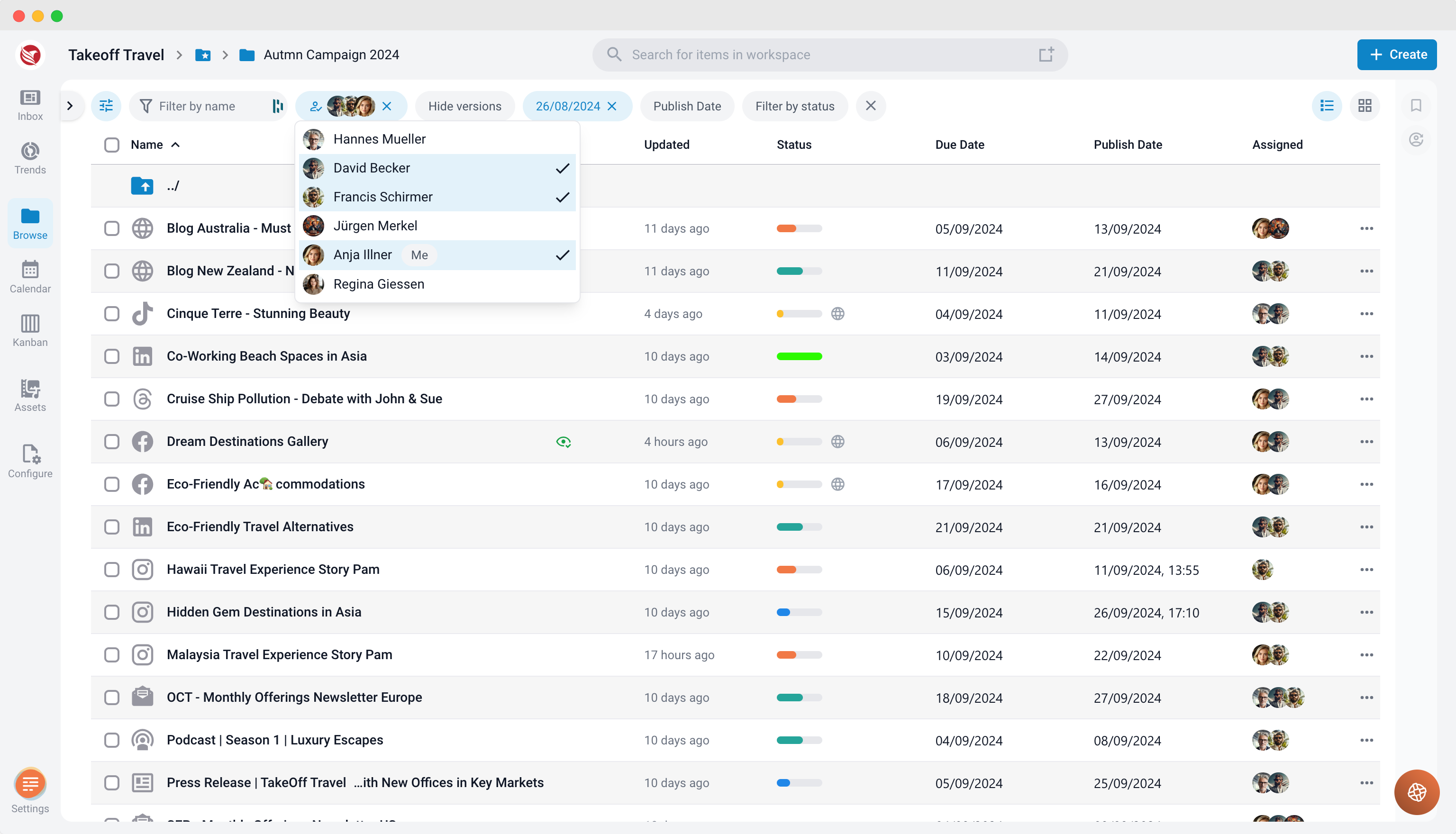
Overall, ContentPaul's structure and flexible viewing options provide a powerful way to manage content throughout its entire lifecycle, from creation to publication, in a manner that suits your team’s workflow and organizational needs.