
Managing Your Assigned Tasks with the Inbox Calendar
Access and manage all your assigned tasks across workspaces with the Inbox Calendar, featuring full editing and tracking capabilities.
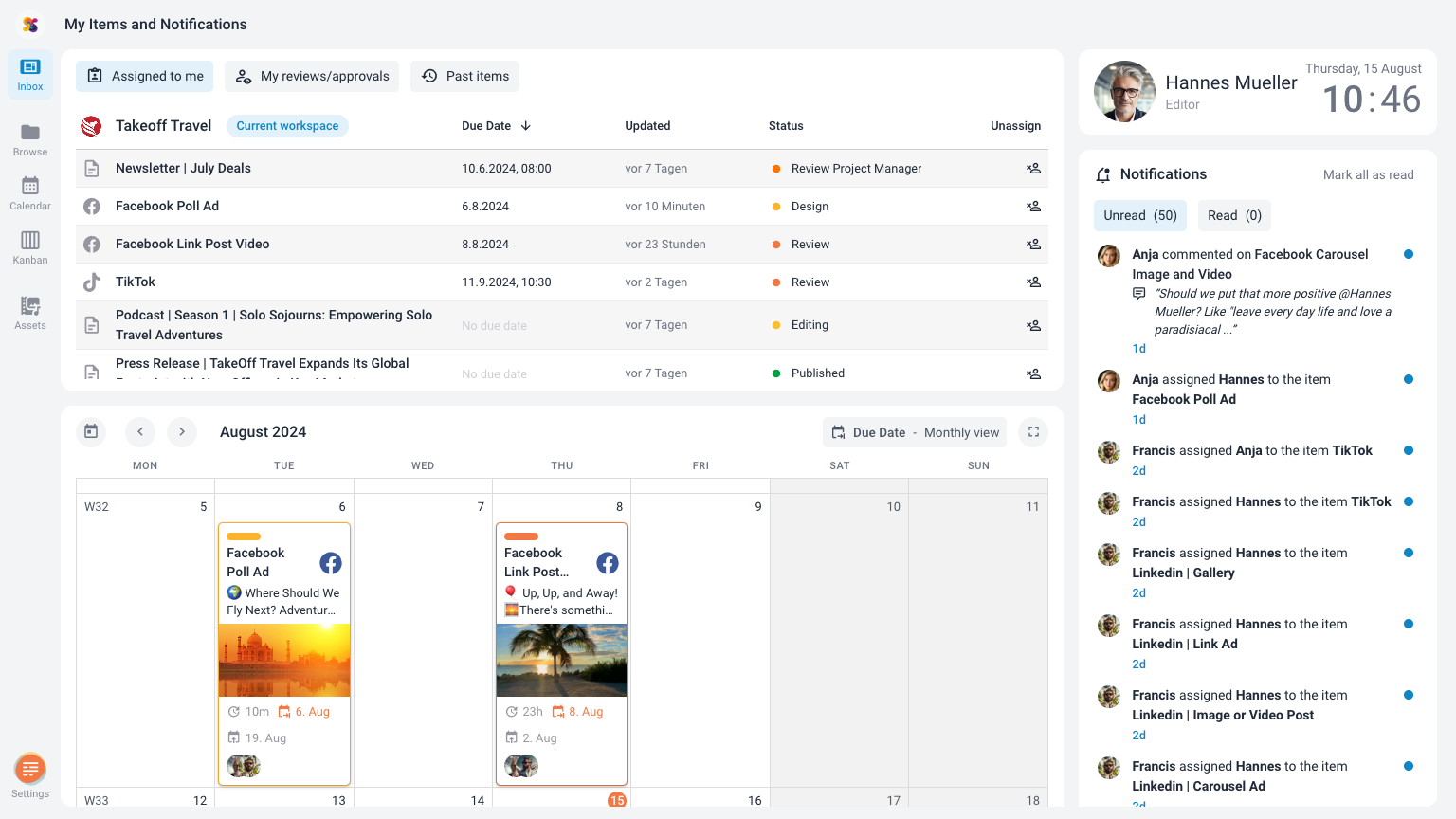
The Calendar in the Inbox is a powerful tool for team members to quickly access and manage all the content items they are responsible for. This calendar is designed to streamline your workflow by displaying only the tasks and content items that have been assigned to you, across all workspaces where you are a member.
Key Features of the Inbox Calendar
- Personalized Content View:
- The Inbox Calendar mirrors the functionality of the Publishing Dates Calendar, Due Dates Calendar, and Editorial Calendar. However, it exclusively displays content items that are assigned to you. This makes it a focused and efficient tool for managing your tasks and responsibilities.
- Cross-Workspace Visibility:
- Unlike other calendars that are limited to a specific workspace, the Inbox Calendar aggregates items from all the workspaces you are a part of. This feature ensures that you have a comprehensive view of all your assigned tasks, regardless of where they originate.
- Task Management:
- Particularly useful for tracking tasks, the Inbox Calendar allows you to see all the tasks assigned to you in the Due Dates Calendar format. This helps you stay on top of deadlines and ensures that you are aligned with your team’s timelines.
Interacting with the Inbox Calendar
- Viewing and Editing Items:
- Just like the other calendars in ContentPaul, you can interact with the content items directly from the Inbox Calendar. By clicking on an item, you can open the content item’s modal window to view details or make edits as needed.
- Drag-and-Drop Functionality:
- The same intuitive drag-and-drop functionality is available, allowing you to easily reschedule tasks by moving items within the calendar. Adjusting due dates, publishing dates, or editorial timelines is quick and straightforward.
- Full-Screen Mode:
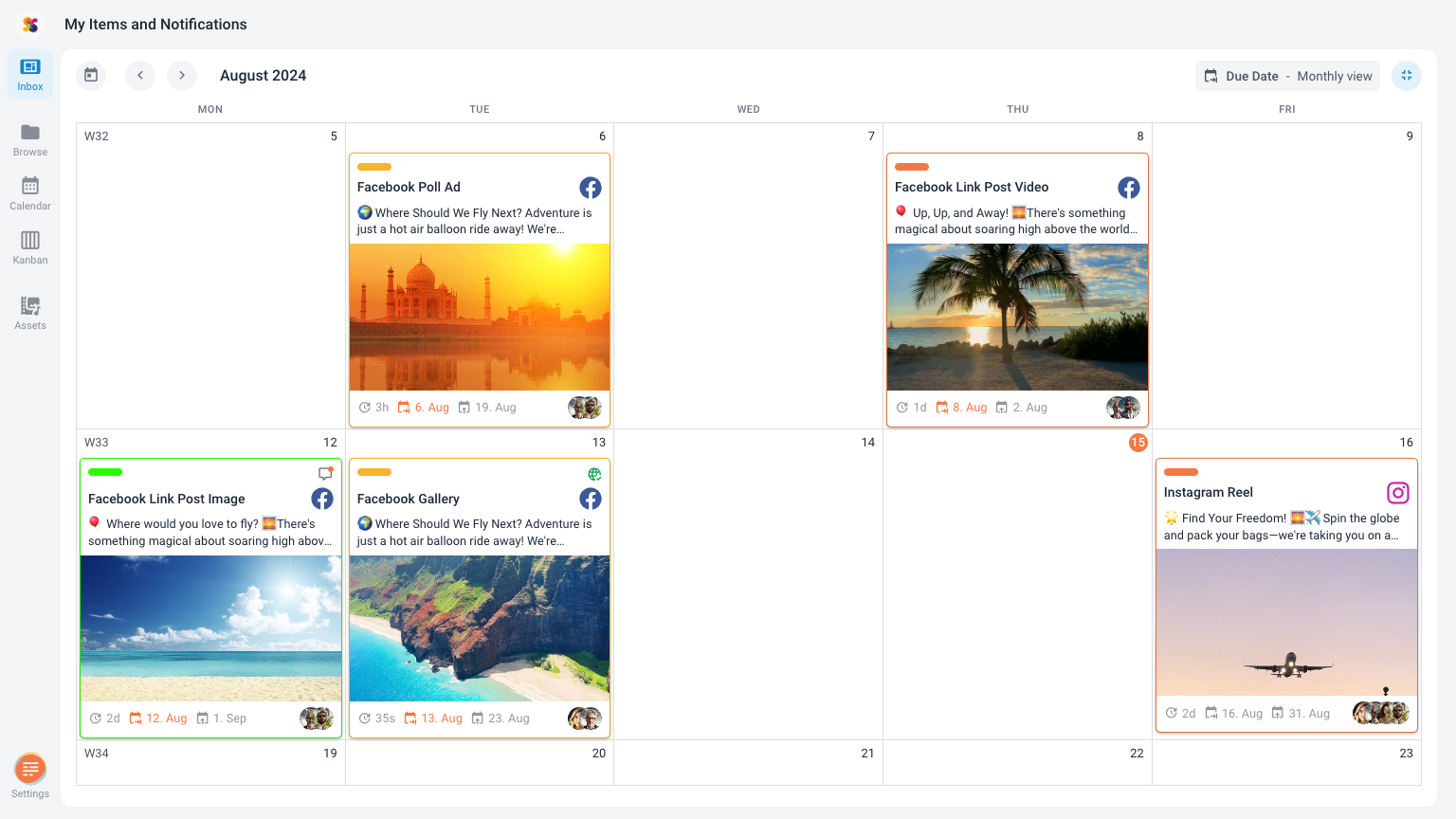
- To enhance your focus and provide a broader view of your tasks, the Inbox Calendar includes a full-screen button. The button is located at the top right of the calendar, next to the calendar selector. This feature allows you to expand the calendar to cover your entire inbox, making it easier to manage a large number of assigned items.
Limitations
- No Creation of New Items:
- One key difference in the Inbox Calendar is that it does not allow for the creation of new content items. This calendar is specifically designed for managing existing tasks and content items that have been assigned to you.
The Calendar in the Inbox is an essential tool for team members to efficiently manage their assigned content items across multiple workspaces. With its focused view, cross-workspace visibility, and full range of editing capabilities, it ensures that you can keep track of your responsibilities and deadlines with ease.