
Organize Team Tasks with Workflows
Workflows in ContentPaul enable teams to streamline collaboration by structuring tasks and activities, tracking progress, and ensuring consistency in content management. Here’s how to make the most of workflows to organize and monitor your work:
Understanding Workflows in ContentPaul
Purpose of Workflows: Workflows allow you to set up a sequence of steps or statuses that your content items go through, from initial creation to final approval. This structure aids teams in organizing responsibilities, timelines, and progress tracking.
- Subscription Options: Depending on your ContentPaul subscription, you’ll have access to either a limited set of predefined workflows or the ability to create custom workflows tailored to your team's needs.
Using Predefined Workflows
ContentPaul offers predefined workflows for common project structures. These standard workflows cover typical stages like “Drafting,” “Review,” and “Approved,” enabling quick setup for teams needing a simple process.
Creating Custom Workflows
Custom Workflows allow for flexibility, letting you define stages that match your team’s unique content creation and review process. This customization supports varied tasks, like social media planning, article reviews, or complex multi-stage approvals.
Benefits of Workflows for Team Collaboration
- Workflows provide a standardized approach, ensuring everyone follows the same process.
- They enhance visibility into each item's status, reduce redundant tasks, and help avoid miscommunication by keeping all updates in a central location.
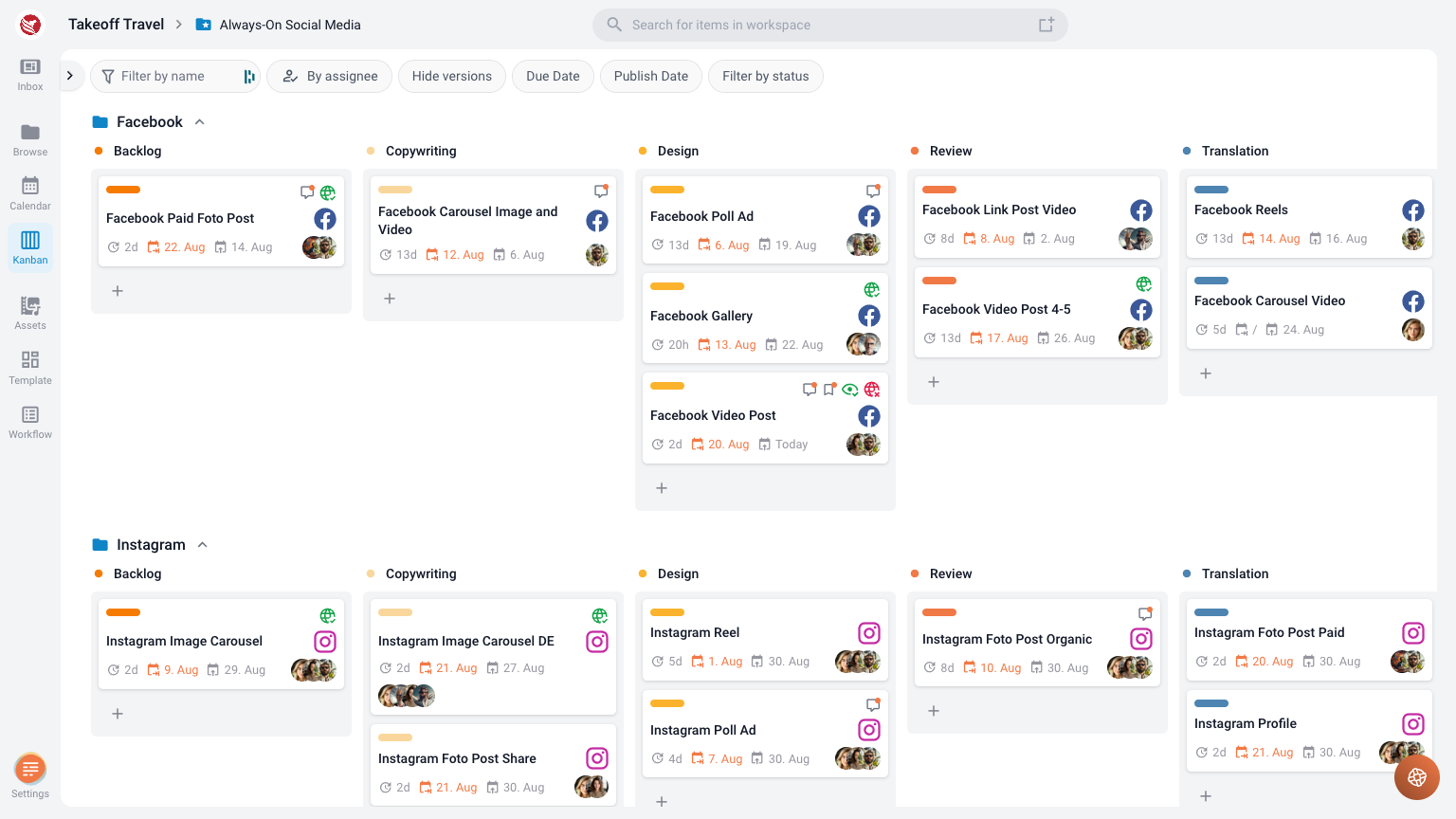
By organizing content tasks with workflows, teams can achieve smoother coordination, maintain consistent quality, and have a clear structure for progressing each content item toward completion.