
Move Items, Folders, or Projects
Easily move items, folders, or projects within your workspace by dragging and dropping them to new locations in ContentPaul.
ContentPaul allows users to move items, folders, or projects within a workspace easily. Follow these steps to move content to a new location:
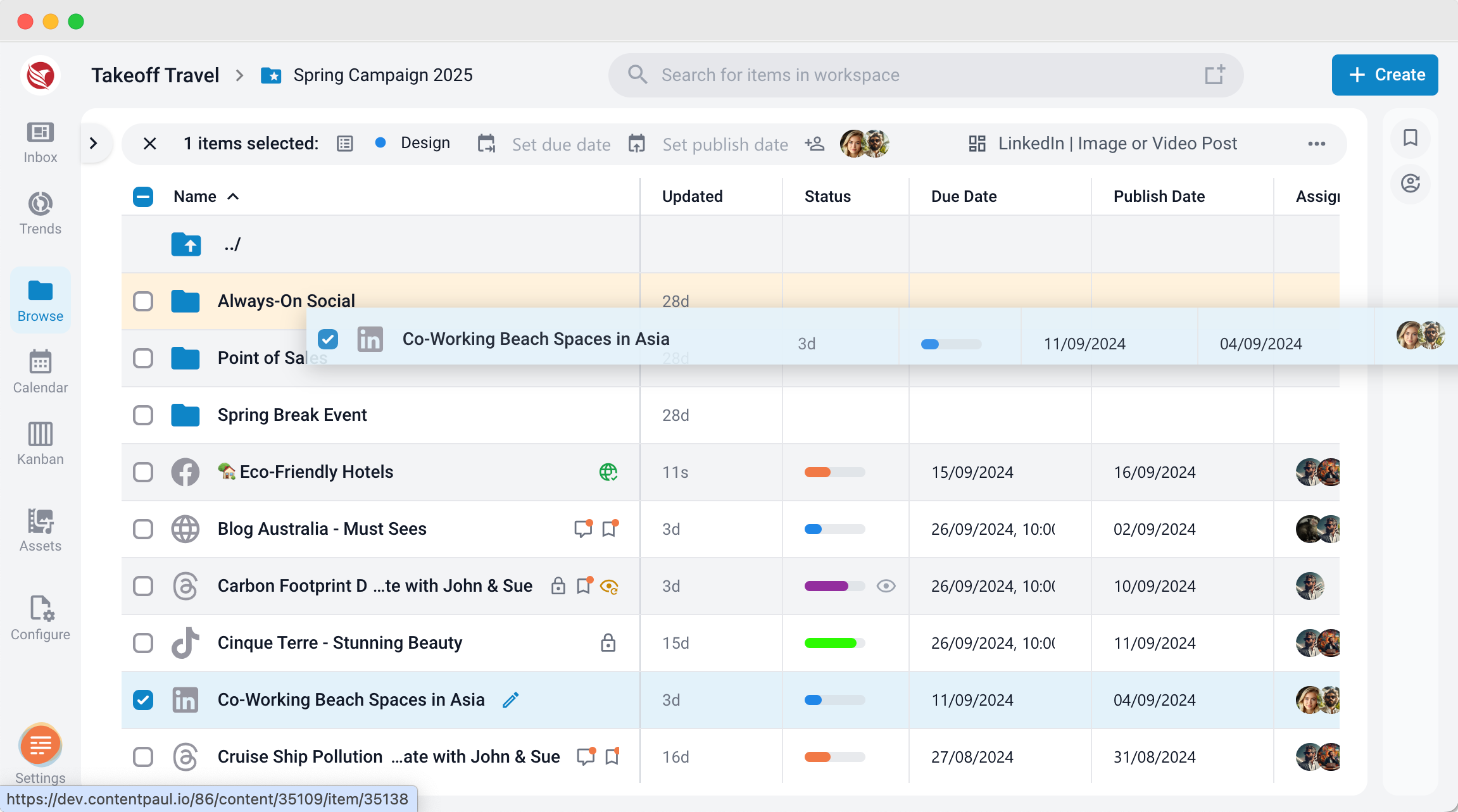
- Move Items Within the Same Folder:
- Go to the Browse section of the app.
- Click and hold on the item you wish to move.
- Drag the item to the new position within the same folder and release it.
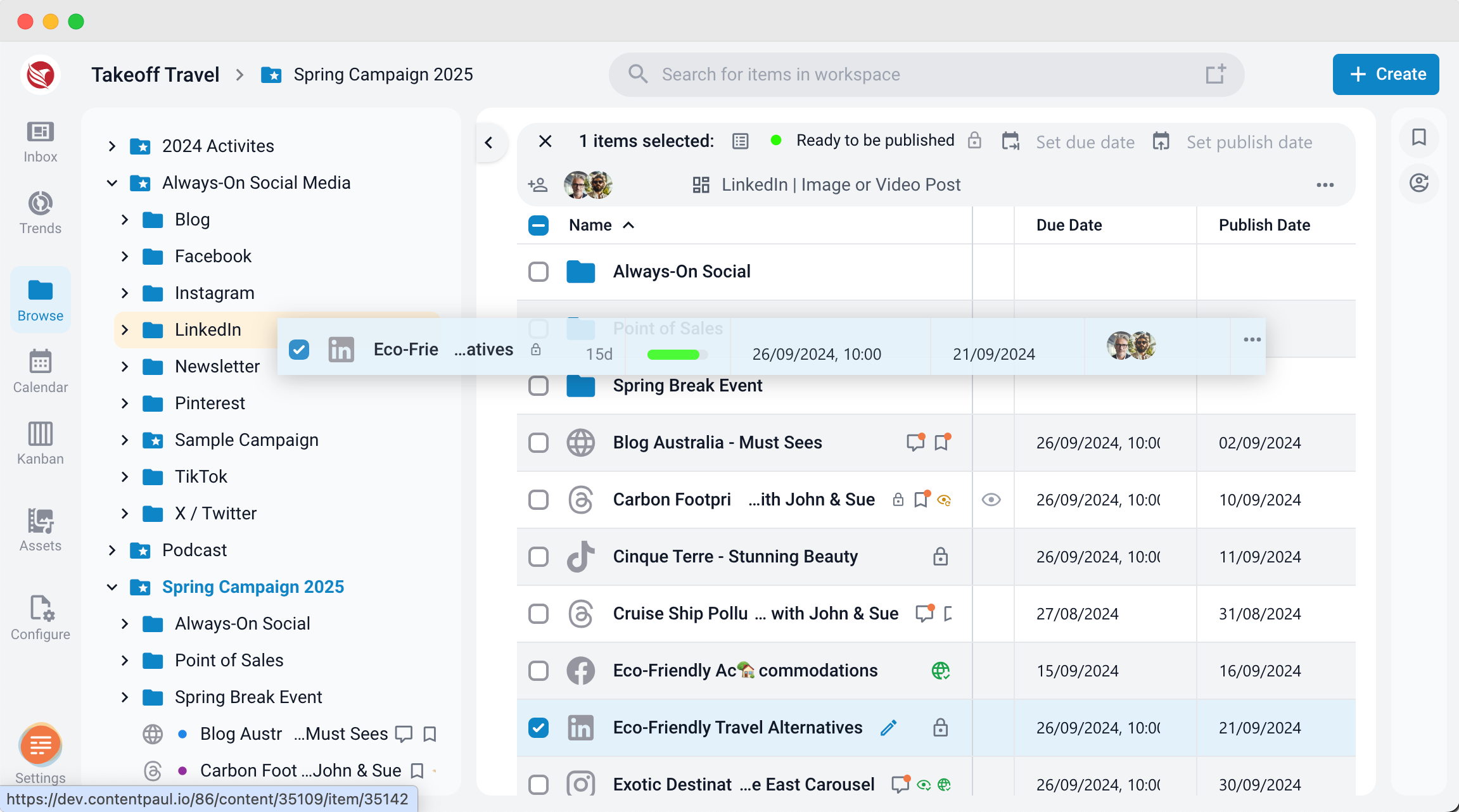
- Move Items to Another Folder:
- Open the Explorer from the left-side navigation panel to view all workspace folders.
- Expand the folder structure to locate the destination folder.
- Click and hold the item you want to move, then drag it to the target folder and release.
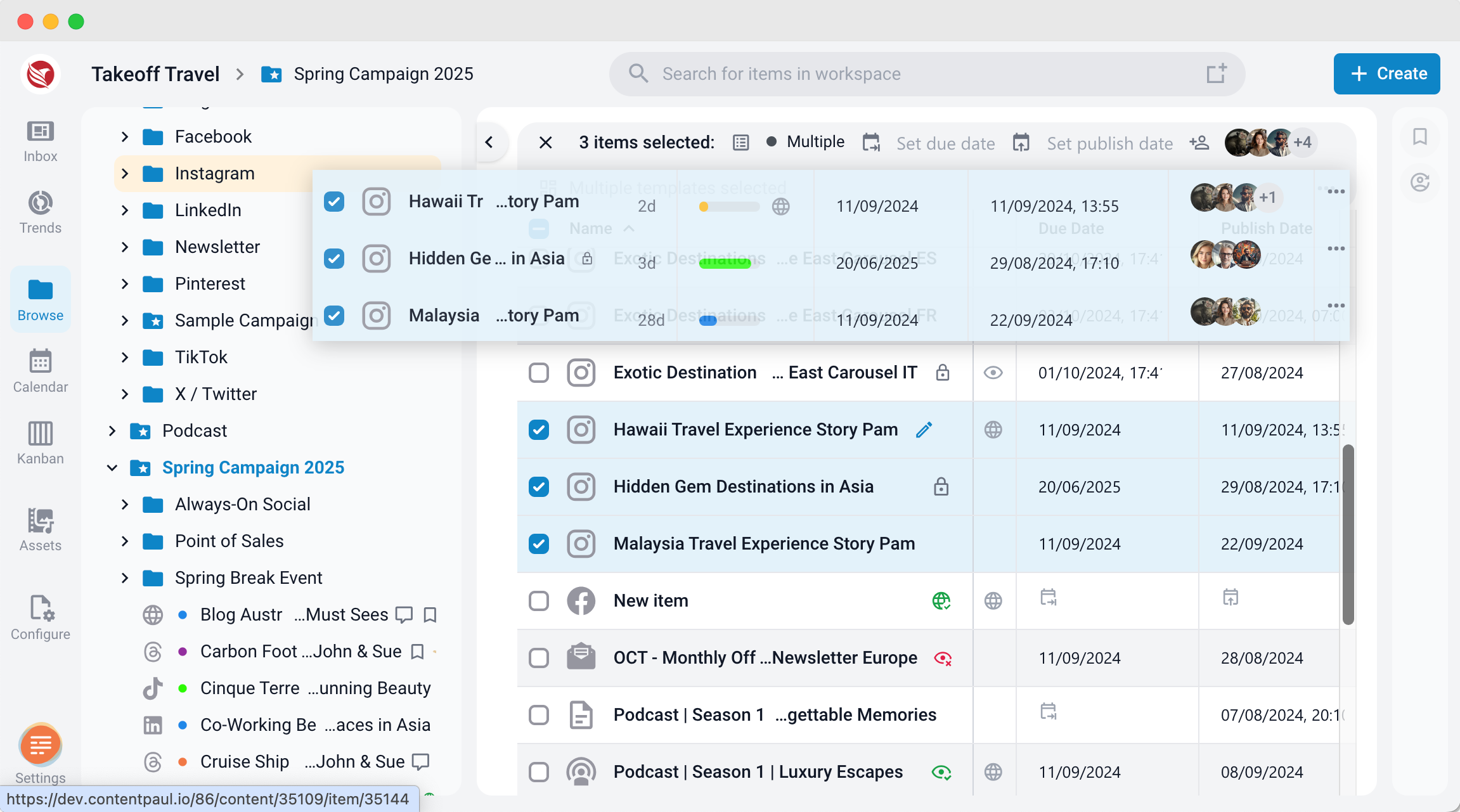
- Move Multiple Items:
- Select multiple items by clicking on each one.
- Once selected, click and hold any of the selected items.
- Drag them all together to the destination folder and release them.
These steps allow for flexible organization and reorganization of content in your workspace.